
An energy-monitoring smart plug can help measure a suitable plug-in device's electricity use. Choose a model that records energy in kilowatt-hours, confirm the appliance is an approved load, and measure a complete representative period.
A switching-only smart plug is not an energy meter. An advertised maximum wattage also does not establish suitability for every appliance.
Decide what you want to learn before buying a meter
Start with a question small enough that one plug can answer it. “Why is my electric bill high?” is usually too broad. “How much energy does the desk lamp use during my normal workweek?” is manageable. “Does the entertainment setup draw meaningful power overnight?” can also be useful, provided every connected load and the proposed arrangement are explicitly supported.
Write down the decision you expect to make from the result. You might shorten an unnecessary operating period, use an existing sleep setting, or leave a device alone because its consumption is already small. This prevents the measurement from becoming a shopping exercise in which the answer is always another smart product.
A useful measurement question includes four details:
The load: one named appliance or a clearly defined supported group.
The operating condition: normal use, standby, or a particular setting.
The observation period: a complete session, day, or representative week.
The possible action: change a setting, change a schedule, or make no change.
If you cannot safely insert a plug-in meter, change the measurement method. Existing manufacturer energy data, utility interval data, or professionally installed monitoring may be more appropriate. A smart plug is convenient because it observes one accessible load; convenience does not make it suitable for every electrical job.
Choose energy logging rather than switching alone
Two products can look identical and provide different information. One may only turn power on and off. Another may show current watts but no accumulated kWh. A third may store daily energy history, which is more useful for a device whose consumption changes through the day.
Before purchasing, look for the following in the exact model's documentation:
Feature | Why it matters for this project | What to confirm |
|---|---|---|
Accumulated energy in kWh | Captures use over an interval | Whether totals survive a power interruption |
Live power in watts | Helps identify active and standby states | Refresh interval and low-load limitations |
Historical records | Allows comparisons across days | Retention period and export options |
Meter accuracy statement | Sets expectations for small differences | Conditions and range covered by the statement |
Supported electrical loads | Determines whether insertion is appropriate | Exact regional model and load category |
Relay behavior after power returns | Avoids unexpected switching | Default state and available settings |
An integration that exposes on/off control may not expose energy measurements. Verify the manufacturer's app first, then check whether your preferred platform receives the same data. Otherwise you could buy an energy-monitoring plug and still have no usable energy history in the dashboard you intended to use.
For this project, avoid adding automated switching until the measurement is finished. You want to observe normal use, not accidentally create a new pattern while trying to measure the old one. Note any existing timer or routine that already controls the load.
Check the load before putting a meter in the path
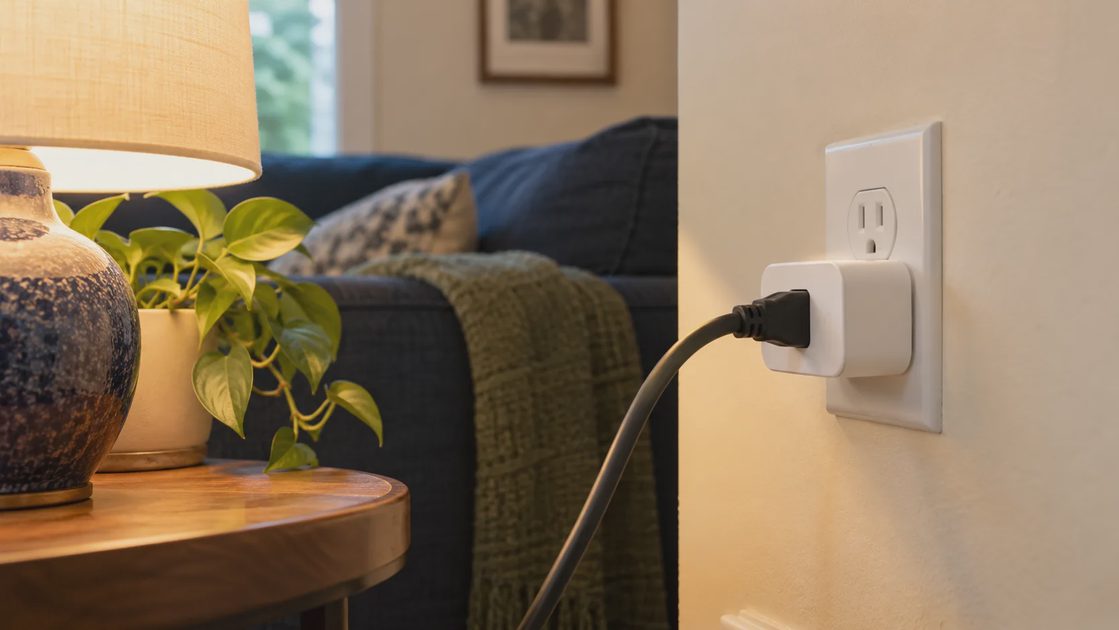
Find the exact U.S. plug model and hardware revision. Check its manual for voltage, current, supported load types, operating conditions, and continuous-use restrictions. Compare those requirements with the appliance.
Motor startup and other surge behavior matter. TP-Link's load guidance explains why supported load types must be checked rather than relying on headline wattage. The page includes regional examples; do not copy an EU rating to a U.S. product.
For a beginner measurement project, choose a modest, explicitly supported load such as an appropriate lamp. Avoid space heaters, refrigerators, air conditioners, EV charging, medical equipment, or other critical loads unless the relevant manufacturers explicitly permit the exact arrangement and a qualified person has confirmed it.
Use an intact wall outlet and fully seated connectors. Stop if there is damage, unusual heat, odor, or discoloration.
Know what the two main readings mean
Watts describe power at a moment. Kilowatt-hours describe energy accumulated over time. A brief reading cannot show how much a cycling appliance uses during a day.
For an arithmetic example, 50 watts maintained for four hours equals 0.2 kWh: 50 × 4 ÷ 1,000. This is a hypothetical constant load, not a measured appliance result.
Virginia Cooperative Extension's energy-use guide explains the relationship between wattage, operating time, and energy estimates. A meter's accumulated energy is more useful than assuming the rated maximum runs continuously.
Record a full use period, not one number

Name the measured device clearly. Record the start time and initial kWh reading, then the end time and final reading. If resetting history is supported, understand what it erases before doing it.
Use the appliance normally. Note active sessions, standby periods, unusual use, and any interruption. The measured energy for the interval is the difference between ending and starting totals, unless the app already reports that exact interval.
For variable equipment, choose a period that includes the relevant cycles. A short sample cannot establish an annual total confidently.
Set up a repeatable measurement record
A simple notebook is enough. A spreadsheet is useful when you want to compare several periods, but the important part is recording what actually happened. A daily total without a description of the day's use is difficult to interpret.
Use this worksheet for each observation:
Field | What to enter |
|---|---|
Device and location | A recognizable name, such as office reading lamp |
Plug model | Exact model and hardware revision where available |
Start and finish | Date, time, and time zone |
Starting and ending total | kWh values from the same cumulative counter |
Operating condition | Normal use, standby, or the setting being compared |
Activity notes | Sessions, visitors, interruptions, or unusual use |
Data limitation | Missing readings, reset, rounding, or loss of history |
If the app shows both a lifetime counter and a daily chart, choose one consistent method. Do not subtract a daily total from a lifetime total. Check whether “today” means the calendar day in the device's time zone or a rolling period. An incorrect boundary can make two supposedly equal samples include different hours.
Take a baseline reading after setup is complete. If pairing required powering the load on several times, exclude that activity from the ordinary-use period by recording a fresh start. Photographing your notebook or exporting a report can preserve the record without putting private account details in a shared screenshot.
Read active, idle, and standby states separately
An appliance may have several operating states. A monitor can consume differently while showing video, sleeping, and remaining connected with the screen off. A lamp may have multiple brightness settings. The correct comparison depends on which state answers your question.
For a supported desk setup, a practical sequence is:
Observe the load during a normal active session.
Record what the device does when left idle.
Record the normal overnight state without changing required services.
Compare complete intervals rather than isolated display readings.
Repeat a questionable observation before treating it as typical.
Do not interpret a displayed zero as proof of zero consumption. The meter may round small readings or have limited resolution at low power. If the possible savings are close to that limitation, describe them as uncertain instead of calculating a highly precise annual figure.
Likewise, the appliance's nameplate describes rated electrical requirements, not necessarily its usual consumption. Using the maximum rating for every hour can exaggerate cost. A measured cumulative total is helpful precisely because it includes the changing states within the observation period.
Convert consumption into a bounded cost estimate
Multiply measured kWh by the applicable per-kWh rate. Hypothetically, 3 kWh at $0.20 per kWh is $0.60 in variable energy charges.
Time-of-use rates require matching consumption to the relevant periods. Fixed fees and demand charges, where applicable, do not disappear because one appliance uses less electricity.
If comparing modes, hold the task as similar as possible and repeat the observation. Include the smart plug's own consumption when assessing whether a permanent installation saves more than it adds.
Calculate cost without exaggerating the result
The basic calculation is straightforward: measured energy multiplied by the applicable variable electricity rate. The interpretation needs more care. A hypothetical device using 0.6 kWh over a day would incur $0.12 in variable energy charges at a hypothetical rate of $0.20 per kWh. Neither number is a claim about your appliance or local utility.
If that day was representative, multiplying by 30 gives a rough monthly estimate. If it was an unusually busy day, the multiplication simply repeats the unusual day 30 times. Label the estimate accordingly. A full week often gives a more informative sample for equipment used differently on weekdays and weekends, although seasonal differences still remain.
Separate these three figures:
Measured energy: the kWh actually recorded during the stated interval.
Estimated operating cost: that energy priced using your applicable rate.
Potential avoidable cost: only the portion that a realistic change could remove.
The third figure is often much smaller than the second. A computer that uses electricity while doing necessary work does not create an avoidable cost merely because the meter records it. The relevant opportunity may be an unnecessary overnight operating state, not the entire year's consumption.
For time-of-use plans, a single blended rate is a rough approximation. To evaluate a schedule change, match energy to the time bands that would actually change. Moving a task can reduce variable cost while leaving total kWh similar. Keep fixed utility charges outside the appliance estimate unless you have a specific reason to allocate them.
Compare two settings fairly
A useful comparison changes one thing and keeps the task reasonably consistent. For a lamp, compare the same duration at two brightness levels that both meet the room's needs. For supported office equipment, compare the current sleep setting with a revised setting during comparable workdays.
Create an A/B record rather than relying on memory:
Comparison element | Baseline period | Changed period |
|---|---|---|
Task completed | Same practical task | Same practical task |
Operating duration | Record actual hours | Record actual hours |
Setting | Existing configuration | One stated change |
Energy total | Measured interval kWh | Measured interval kWh |
Convenience | Note interruptions | Note interruptions |
A lower total is not a better result if the revised setting prevents the appliance from completing its job. Include comfort, accessibility, and work interruption in the decision. An energy-saving setting that people immediately override is unlikely to deliver the projected benefit.
Repeat the comparison if the difference is small or the days were not comparable. There is no universal minimum observation period that fits every appliance. The goal is to capture the usage pattern relevant to your decision and avoid treating one convenient sample as a permanent property of the device.
Troubleshoot an implausible reading before acting
If a number looks wrong, inspect the measurement record before blaming the appliance. Check whether the counter was reset, whether another person changed the load, and whether the app displays watt-hours instead of kilowatt-hours. A factor-of-1,000 unit mistake can turn a small consumption figure into an alarming one.
Also check whether the graph represents energy for each interval or a cumulative total. Adding cumulative readings together repeatedly counts the same energy. For a cumulative counter, subtract the start value from the end value, accounting for documented reset behavior.
If readings stopped while the device was offline, find out what the plug records locally and what it uploads later. Do not assume either that the gap contains zero use or that the missing energy is automatically recovered. The manufacturer's documentation should define that behavior.
When the result remains unexplained, keep the observation as inconclusive. A second suitable meter or manufacturer support may help resolve it. There is no benefit in replacing an otherwise functional appliance based on a number you have not understood.
Decide whether the plug should stay installed
A temporary measurement and a permanent automation are different decisions. After answering your question, the plug may be more useful on another supported load. Keeping it in place adds an account, a relay, potential maintenance, and some consumption of its own.
If you retain it, document its normal on/off state and power-restoration behavior. Make sure another household member can operate the load without your phone. Remove experimental schedules that could surprise someone later.
Keep permanent monitoring when the ongoing information supports a real household decision. Remove the measuring step when it has served its purpose. The successful outcome is a better understanding of one appliance, followed by a proportionate action—not a house full of meters collecting numbers nobody uses.
Use the result to make one decision
A measurement should answer a question: is standby use material, does a supported setting reduce consumption, or is a device running longer than expected?
Keep the log and acknowledge the meter's stated accuracy limits. You have a practical diagnostic tool, not automatically a billing-grade instrument or proof that replacing the appliance will pay for itself.