An energy-saving thermostat schedule can make a home less comfortable when it assumes the wrong occupancy, recovers too late, or competes with other controls. The answer is usually to identify the mismatch, not to keep making the temperature swing larger.
If the home cannot maintain a reasonable temperature even with a simple steady setting, seek HVAC diagnosis before treating it as a scheduling issue.
Describe the discomfort before changing the schedule
An energy-saving schedule can fail in several different ways. The house may be uncomfortable when someone returns, one occupied room may feel different from the thermostat location, or the temperature may change unexpectedly after a manual adjustment. Each symptom points toward a different investigation.
Start with what the person experiences. Write “the upstairs bedroom is uncomfortable during bedtime” instead of “the thermostat is bad.” Record the time, room, displayed target, displayed temperature, and whether the equipment appears to be operating. These observations are more useful than immediately replacing the thermostat or lowering every scheduled temperature.
Do not expect everyone to describe comfort in the same way. Clothing, activity, sun exposure, air movement, and individual preferences influence the experience. The aim is a workable household agreement, not a schedule that looks efficient in an app while occupants repeatedly fight it.
Symptom | First question | Likely area to investigate |
|---|---|---|
Uncomfortable on arrival | Did recovery start before arrival? | Schedule timing and recovery behavior |
Wrong temperature while someone is home | Did the system classify the home as empty? | Presence and away rules |
Only one room is uncomfortable | Is the thermostat observing that room? | Sensor location and room conditions |
Manual change disappears | Which rule runs next? | Holds, schedules, and competing automation |
Target is never reached | Is this a scheduling issue at all? | Equipment performance and building conditions |
Find out which rule is actually choosing the temperature
List the thermostat's schedule, learning features, occupancy modes, platform routines, and any utility program you knowingly joined. Check the current setpoint and the event that last changed it where the system provides that information.
A wall adjustment can be overwritten by another rule. An old away routine may still run after work hours changed. A utility event may temporarily alter behavior under the program's terms.
Choose one primary schedule owner. Disable optional conflicting routines through supported settings, keep a record, and observe before adding them back. Avoid removing equipment protection or safety features.
Map the rules that can override each other
A thermostat may receive instructions from its own schedule, an energy-saving mode, a home platform, an occupancy feature, or a utility program you enrolled in. The application showing the temperature is not necessarily the application choosing it.
Make a list of every rule with permission to change the target. Include routines that run at sunrise, when someone leaves, or when a phone arrives. Check whether another household member created a rule under a different account. A forgotten routine can remain active long after the reason for it disappears.
For each instruction, record:
The condition that activates it.
The target or mode it applies.
The time or event that ends it.
Whether manual adjustments suspend it.
The platform or account where it must be changed.
This produces a simple explanation of control ownership. For example, a bedtime schedule could lower a heating target while a platform routine restores an earlier target shortly afterward. The thermostat is following instructions, but the household experiences unpredictable behavior.
Keep protective equipment functions enabled. To investigate a conflict, temporarily pause one nonessential comfort routine through its documented controls and observe the result. Do not disable system safety features or repeatedly power-cycle HVAC equipment as a substitute for understanding the rules.
Compare the schedule with today's household
Write down actual occupied periods for each day, including remote work, school breaks, visitors, and someone who stays home without a participating phone.
A motion sensor cannot prove a quietly occupied room is empty. Phone-based presence also depends on permissions, location behavior, and whether every relevant person is included.
Begin with a predictable schedule and an easy manual hold. ENERGY STAR's thermostat guidance describes scheduling and occupancy-related features, but their benefit depends on a good fit to real use.
Build the schedule around real occupancy
A schedule based on a previous work pattern can remain technically correct and practically wrong. Remote work, school breaks, caregiving, visitors, and variable shifts all change when the home needs to be comfortable.
Write down a normal weekday and a normal weekend as they happen now. Identify times when someone is reliably home, times when the home is usually empty, and times that vary. Keep the variable periods conservative until you have a reliable way to handle exceptions.
A useful planning table is:
Period | Household need | Schedule question |
|---|---|---|
Morning | Comfortable occupied rooms during preparation | Does the target arrive early enough? |
Daytime | Either occupied workspaces or a genuine empty period | Is away mode assuming too much? |
Return home | Comfortable conditions near arrival | Is recovery aligned with realistic arrival times? |
Evening | Rooms used for meals and leisure | Is the sensor observing the relevant area? |
Overnight | Acceptable sleeping conditions | Does the schedule reflect bedroom conditions? |
Do not choose an aggressive setback because the home is empty for only a short, uncertain interval. Whether it makes sense depends on the equipment, building, weather, and recovery behavior. A modest schedule that people leave enabled can be more useful than an ambitious schedule that they cancel every day.
Presence should help handle uncertainty, not overrule evidence that someone is home. Phone-based location is one signal. A quiet person reading, a child without a participating phone, or a visitor may not be represented accurately. Ensure there is a straightforward household method to request comfort.
Respect the equipment's recovery behavior
Heating and cooling systems differ in how quickly they recover. Large setbacks can create an uncomfortable arrival period, and some heat-pump systems can use auxiliary heat during recovery.
Google's Heat Pump Balance documentation explains comfort and auxiliary-heat settings for supported Nest systems. It is not a universal instruction to change lockout settings or disable backup heat.
Ask an HVAC professional about suitable recovery strategy if you are unsure. For cooling, consider humidity and the needs of vulnerable occupants; an energy target should not override safe indoor conditions.
Account for recovery rather than waiting until arrival
Changing a target does not instantly change the indoor temperature. The house and equipment need time to respond. If a schedule switches from an away target to a comfort target exactly when people arrive, the occupants may experience the recovery period instead of the desired conditions.
Some thermostats provide supported learning or early-start features. Read the exact model's documentation before assuming how they work. A displayed schedule time can mean either “start changing the temperature now” or, on supported configurations, a target for when comfort should be reached.
Observe a few normal transitions. Record when the target changes, when the equipment begins operating, and when the occupied room feels acceptable. Avoid demanding a precise universal recovery time; it varies with outdoor conditions and the size of the temperature change.
If recovery is consistently difficult, reduce the size of the setback or adjust its timing within manufacturer guidance. For heat pumps, auxiliary heat behavior can affect both comfort and cost. Google's Heat Pump Balance documentation applies to supported Nest configurations, not every thermostat or HVAC system. Ask the installer to explain your system's behavior if the distinction is unclear.
An unexpected increase in cost after a schedule change needs investigation. It is not proof that setbacks never work, nor proof that a larger setback will solve the problem. Compare relevant conditions and equipment operation before drawing a conclusion.
Make the occupied room the test
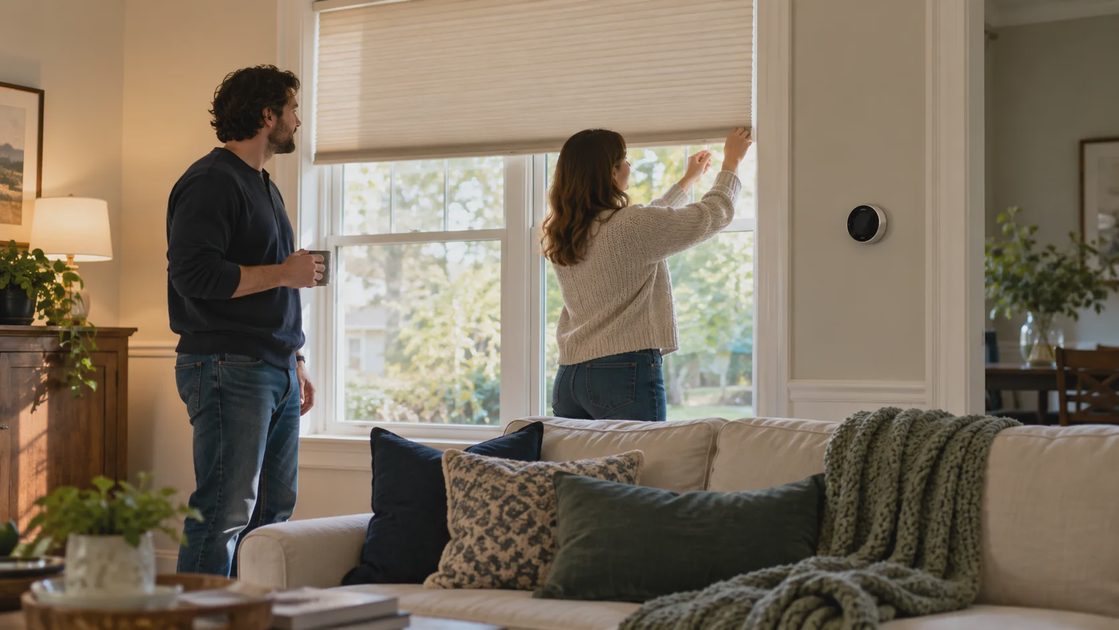
Compare comfort where people sit with the thermostat's reported condition. Sun, drafts, nearby equipment, and poor sensor placement can make one reading unrepresentative.
Use a suitable room thermometer in a sensible location as a diagnostic comparison, not a reason to apply an arbitrary calibration offset. Follow the thermostat's approved sensor-selection and calibration process.
Record time, room, reported temperature, and what felt wrong. An uncomfortable bedroom while the hallway is comfortable may require airflow or building investigation rather than a more elaborate schedule.
Evaluate the room people actually occupy
A hallway reading can be accurate for the hallway and still fail to describe a sunny office or an upstairs bedroom. Treat the thermostat's temperature as a measurement at its location, not a guarantee of identical conditions everywhere.
Compare the occupied room with the thermostat location at the time of discomfort. Note direct sun, closed doors, nearby electronics, and whether supply or return openings are obstructed. Do not make duct or wiring modifications based on a short observation. The goal is to identify a plausible room-condition issue that can be addressed appropriately.
Remote sensors can help supported systems choose a relevant measurement, but they do not create additional heating or cooling capacity. If the system follows a warm room's sensor, another room may become cooler than desired. Understand what the sensor changes and what it cannot change.
Observation | Sensible next step | What it does not establish |
|---|---|---|
Office is warmer in afternoon sun | Review shading and sensor relevance | That the thermostat is inaccurate |
Bedroom differs with door closed | Record the difference and seek appropriate airflow advice | That a new sensor fixes airflow |
Thermostat reading changes near a heat source | Review placement guidance | Permission to relocate wiring yourself |
All rooms struggle to reach target | Consider equipment assessment | That schedule timing is the only cause |
Choose a sensor priority that follows household use rather than whichever room produces the most dramatic reading. Recheck the result across ordinary days, including periods when different people occupy different rooms.
Make manual comfort requests understandable
People need to know what happens when they adjust the temperature. Does the change last until the next scheduled event, for a stated duration, or until someone cancels it? An unexplained hold creates frustration even when the equipment works correctly.
Choose a documented override behavior that fits the household. Make the control available to the people who need it. A family member should not have to find the original installer or borrow an administrator's phone to pause a nonessential energy-saving routine.
Test an ordinary adjustment together:
Note the scheduled target and current mode.
Make a modest manual adjustment through the normal control.
Check whether a hold or temporary target is indicated.
Review what will happen at the next scheduled event.
Return to the agreed normal setting.
If another automation immediately reverses the adjustment, resolve the competing instruction rather than teaching everyone to keep adjusting it repeatedly. A schedule is useful when it handles predictable behavior and leaves exceptions easy to manage.
Avoid a hidden collection of permanent holds. If the household repeatedly overrides the same period, revise that period. The repeated override is evidence that the schedule does not fit current needs.
Change one thing and record the result
Start with a modest schedule adjustment consistent with equipment guidance. Allow enough time to observe ordinary days. Log manual overrides, comfort problems, and relevant energy information.
If the household repeatedly overrides the same period, revise it. Do not describe that behavior as user failure; it is evidence the schedule does not fit.
The useful energy-saving schedule is one people can live with. A small dependable reduction in waste is more valuable than an aggressive routine the household keeps fighting.
Run a comfort trial with one change at a time
Choose one problem period and one proposed adjustment. You might start recovery earlier, make the away target less aggressive, or remove a duplicate platform routine. Changing all three at once can improve the result while leaving you unsure which change mattered.
Use a short trial log:
Date and period | Conditions | Change under test | Comfort result | Notes |
|---|---|---|---|---|
Enter actual date | Weather and occupancy | One specified adjustment | Acceptable, too warm, or too cool | Overrides or unusual activity |
Comfort ratings do not need to be scientific to be useful. They need to be recorded consistently by the people affected. Pair them with the target, room, and operating conditions so the record explains more than a yes/no preference.
If you also review energy use, compare like periods and state the limitations. A comfortable mild day with lower consumption does not prove the schedule caused the reduction. The initial question is whether the revised schedule meets the household's needs reliably. Cost evaluation can then use the relevant measurements.
Keep the previous configuration documented. Reverting a trial should be straightforward if it creates discomfort or confusing behavior. A screenshot without private account information can preserve the earlier schedule, but also write down which platform owns it.
Know when the problem belongs beyond the schedule
A schedule cannot compensate indefinitely for damaged equipment, an unresolved installation problem, or a room that consistently lacks appropriate airflow. If the system cannot reach reasonable targets, behaves abnormally, or shows a relevant fault, follow manufacturer troubleshooting and obtain qualified service as needed.
Likewise, a new thermostat is not automatically the solution to one uncomfortable room. Establish whether the issue is control timing, measurement location, or physical performance before choosing hardware. That distinction prevents a purchase that merely reproduces the same discomfort with a different interface.
Keep any needed professional record concise: what changed, when the problem occurs, displayed conditions, relevant error messages, and the equipment model. This gives the technician useful context without presenting your observation as a diagnosis.
The schedule should ultimately reflect an explicit household agreement: acceptable occupied conditions, reasonable empty-home adjustments, predictable recovery, and easy overrides. Energy-conscious operation is valuable when it supports that agreement. If the occupants continually work around the schedule, the next improvement is usually a clearer rule—not a more elaborate automation.