
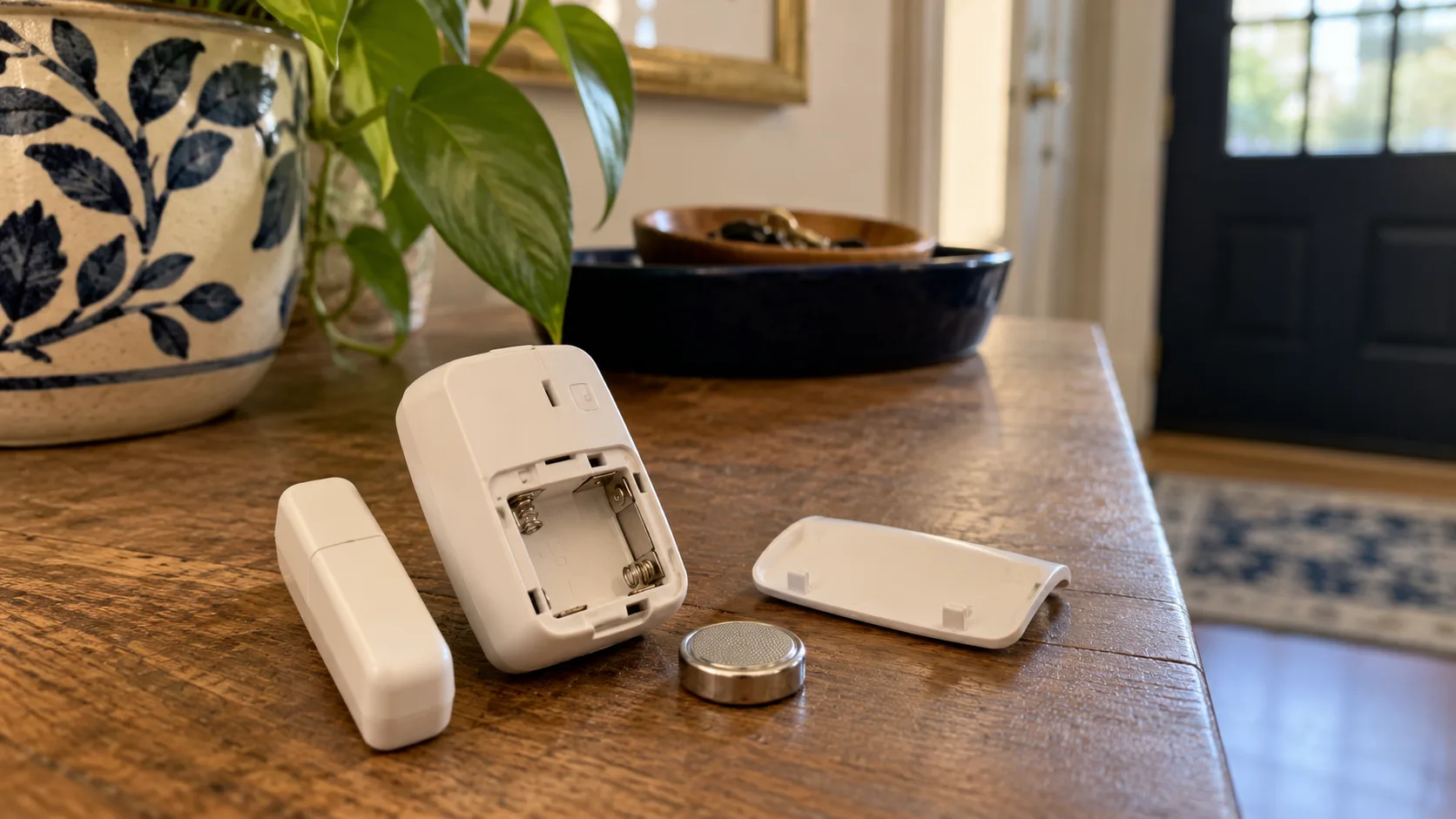
An older smart device may be worth repairing when the fault is clear, the repair is safe and supported, and the device still serves the household. Age alone is not a reason to replace it.
Start by separating a consumable or connection problem from a failed component. Then include software support and recovery effort in the decision.
Identify the failure before choosing a remedy
An older device can stop serving its purpose for several reasons: depleted batteries, damaged mounting, poor connectivity, a failed power supply, a broken component, or discontinued software support. Only some of those are hardware repairs.
Describe the observable problem first. “The contact sensor no longer reports when the door opens” gives you a function to test. “It is old” gives you no diagnostic direction. Record whether the failure is constant or intermittent, whether physical controls still work, and which applications can still see the device.
Keep the exact model and hardware revision with the notes. Similar-looking products can have different internal parts and service procedures. A repair guide for a different revision may be interesting background, but it is not enough to justify opening your product.
If the device supports an important household function, establish the manual alternative before removing it. A repair project should not leave a door inaccessible or necessary temperature control unavailable. Arrange the household's immediate need separately from the decision about the old hardware.
Separate maintenance, configuration, repair, and retirement
These categories help you choose a proportionate response. Changing an approved replaceable battery is maintenance. Restoring a supported account connection is configuration. Replacing a documented serviceable component is repair. Removing a product that no longer has an acceptable support path is retirement.
Category | Example situation | Evidence needed |
|---|---|---|
Maintenance | Low battery in a user-serviceable sensor | Correct manual and approved battery |
Configuration | Device works locally but a linked platform lost access | Current supported integration instructions |
Environmental fix | Device works when moved to a suitable location | Repeatable location comparison |
Hardware repair | Identified component has a documented replacement process | Exact guide, approved part, appropriate skill |
Retirement | Useful function depends on an unavailable service | Verified dependency and support status |
A repair-first approach does not require treating every failure as repairable. It requires checking the simple and supported causes before replacement, then accepting the limits of the evidence. Spending money on a battery will not restore a cloud service that no longer operates.
The categories also prevent needless disassembly. A healthy sensor with a broken mounting strip may need remounting, not a teardown. A bridge disconnected from its power supply may need its supported connection restored, not a replacement radio.
Rule out the serviceable causes first
For a sensor with a user-accessible battery compartment, check the exact manual and use the specified replacement. Inspect the compartment without forcing it. Stop if a battery is swollen, leaking, hot, or damaged, and follow appropriate handling and disposal guidance.
The Aqara P2 contact-sensor manual confirms a replaceable battery for that model. Similar-looking sensors can require different cells or service methods.
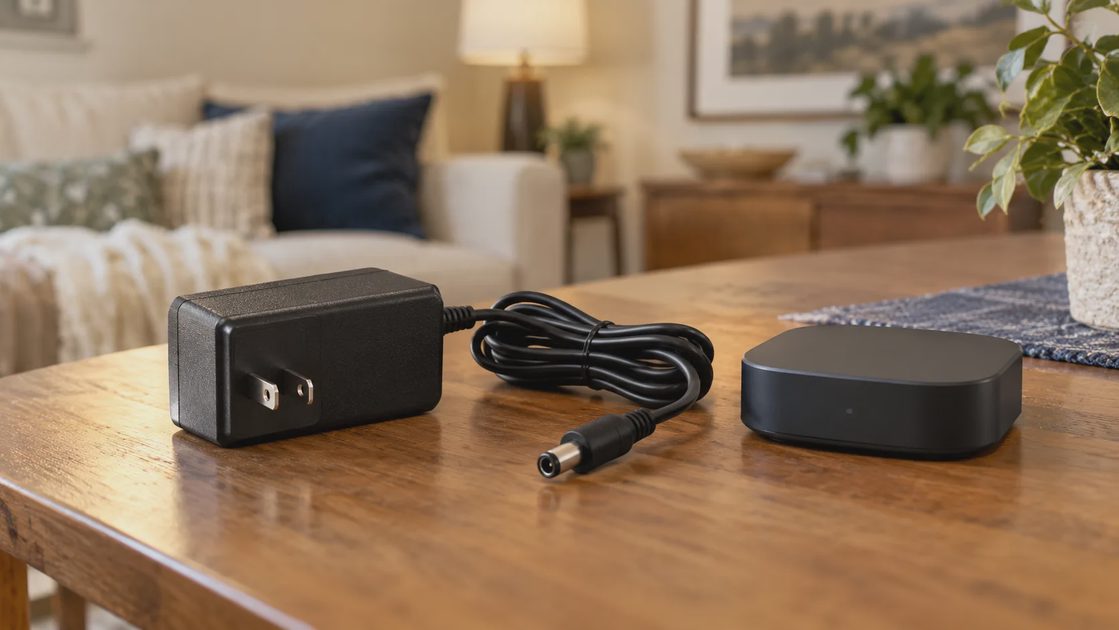
For powered devices, inspect the intact external cable and approved adapter. Match replacement specifications exactly through manufacturer guidance; a connector fitting physically does not establish voltage, polarity, or power compatibility.
Do not open a mains adapter or bypass a protective feature.
Establish whether the device or its surroundings failed
Test physical operation where safe. Compare the vendor app with the home platform. If the device works through one path, investigate the failed integration before ordering hardware.
For a movable noncritical sensor, a temporary supported location closer to its controller can help assess coverage. Keep other variables unchanged.
Google's Nest offline guidance illustrates that power and network problems can produce an offline symptom. Use the general diagnostic distinction, not its model-specific procedures, for another device.
If an account or cloud service has ended, a replacement battery will not restore that service. Check whether a documented local route meets the need.
Use a diagnostic record instead of repeated resets
Begin with the least disruptive checks permitted by the model's instructions. Confirm power, status indicators, ordinary physical operation, and the relevant connection path. Review recent changes such as a router replacement or moved controller.
Write down each check and result. If you repeat resets without recording the behavior, you may erase useful configuration while learning very little. Distinguish a supported restart from a factory reset, and understand the recovery requirements before using the latter.
A concise diagnostic log can include:
Exact symptom and when it started.
Model, power source, and controller dependency.
Recent household or software changes.
Checks performed under official instructions.
What still works and what remains uncertain.
For a portable, noncritical wireless device, a documented location comparison may help identify coverage issues. Keep other conditions similar. If you also change the battery or power supply, acknowledge that the test changed more than location.
Stop when the observations point to damage, a sealed battery problem, or an electrical issue beyond user service. More experimentation is not automatically more informative, especially when it involves powering damaged equipment.
Define the repair before buying parts
Find the exact model and revision. Prefer the manufacturer service procedure or an applicable, carefully reviewed model-specific repair guide.
iFixit's smart-home repair index can help locate guides. An index entry is not proof that a repair is safe for a novice, that parts are available, or that your device has the same internal design.
External consumable replacement is different from soldering, sealed battery removal, or mains work. Consider a qualified repair service for invasive repairs. Locks and critical environmental controls deserve particular attention to safe restoration.
Confirm what the manufacturer allows you to service
Look for the user manual, official replacement-part information, and support options. A visible screw does not establish that the product is intended for household repair. A removable cover may provide battery access while the rest of the enclosure remains nonserviceable.
Check warranty or service terms before opening the device. The relevant question is not simply whether disassembly is possible, but whether there is a supported procedure and a reasonable route back to reliable function.
The Aqara P2 manual provides a concrete example of model-specific battery service. It does not imply that other sensors use the same battery or opening method. Likewise, iFixit's smart-home index can help locate a guide, but the index itself does not confirm the safety or success of a repair for your model.
If you find a guide, verify:
Exact model and revision match.
The identified symptom fits the proposed repair.
Required parts have a credible source and correct specification.
The procedure identifies relevant hazards and limits.
Reassembly and functional verification are described.
Treat an informal video or forum account as a lead to investigate, not as proof that the same operation is appropriate. If key details are missing, ask the manufacturer or a qualified repair provider before buying parts.
Match the repair to your actual skill
There is a substantial difference between replacing a manufacturer-approved battery and opening mains-powered electronics. A household repair decision should reflect that difference explicitly.
User-accessible maintenance may be reasonable when the manual provides a clear procedure. Component-level work, soldering, sealed battery repairs, or work involving hazardous electrical assemblies requires a separate assessment of skill and safety. This article does not provide instructions for those operations.
Do not substitute a power adapter because its connector fits. Voltage, polarity, current capability, connector details, and manufacturer approval matter. Use the specified supply or obtain an approved replacement through a reliable route.
If you seek professional repair, give the provider your symptom record and exact model. Ask what will be replaced, what testing is included, and whether the product will retain its intended electrical, environmental, or mechanical performance afterward.
For an outdoor device, an opened enclosure may need a specific sealing procedure. For a door lock, reliable mechanical operation matters as much as app connectivity. A repair that restores one visible feature while compromising the product's other requirements is incomplete.
Check support separately from physical condition
A device can be physically repairable and still unsuitable for its intended connected role. Ask whether its essential app, cloud service, integration, and security-update path remain available for the exact model.
Use the manufacturer's current support information. Do not assume that every product sold under a familiar brand has the same support period. Record what you verified and which part remains uncertain.
Local operation can preserve usefulness in some supported arrangements, but it is not a universal workaround. Confirm whether the actual device and controller can perform the needed function locally. Replacing an official service with an unofficial integration introduces its own maintenance and support requirements.
Support question | Why it changes the repair decision |
|---|---|
Does the necessary service still operate? | Physical repair cannot recreate a discontinued dependency |
Are needed security updates available? | Restored function may still have an unsuitable support path |
Does the current platform support this model? | Compatibility may differ from basic hardware operation |
Is a documented local mode available? | It may preserve a limited useful function |
Can the household maintain the arrangement? | A technically possible solution may be impractical to own |
Repair makes sense when the restored product has a useful role afterward. Confirm that role before investing in parts and labor.
Compare the repair with a supported replacement
Count parts, professional labor, time without the function, likely remaining support, and the effort to reconfigure the household. Include the replacement's required hub or subscription too.
Situation | Practical direction |
|---|---|
Clear, documented battery fault; otherwise supported | Service and retest |
Intact hardware with a configuration fault | Fix the connection path first |
Uncertain invasive repair or damaged mains equipment | Seek qualified assessment |
Ended support on a sensitive connected device | Consider replacement or a documented reduced-exposure role |
Avoid spending repeatedly on guesses. A small diagnostic cost can be worthwhile; several speculative parts can exceed the value of the device.
Compare the complete cost of both options
The repair price and replacement sticker price are only part of the decision. Include the effort and dependencies required to return the household function to normal.
Cost or consequence | Repair option | Replacement option |
|---|---|---|
Parts and labor | Required component and service cost | New device cost |
Household interruption | Repair time and temporary workaround | Installation and setup time |
Compatibility | Existing arrangement may remain | New model may need a bridge or platform change |
Support | Remaining verified support | New model's actual support policy |
Reconfiguration | Possible reset or re-enrollment | Rules, permissions, and naming updates |
Failure uncertainty | Diagnosis may remain incomplete | New product may reproduce an environmental problem |
A low-cost repair can be attractive when the diagnosis is clear and support remains suitable. A cheap replacement can become expensive if it requires a new bridge, subscription, or electrical installation. Conversely, a costly uncertain repair may be poor value when a supported replacement serves the same need simply.
Use hypothetical numbers only as a worksheet, not as current market claims. Enter actual quotes and actual requirements for your situation. Include a “remove the function” option if the household no longer needs it.
There is no universal percentage at which repair becomes worthwhile. The right threshold depends on confidence, remaining usefulness, support, and the consequences of another failure.
Set a stopping point before the project grows
Repair projects can accumulate purchases because each additional part seems smaller than starting over. Decide in advance what evidence or cost would make you stop.
For example, you might proceed with one approved battery replacement and documented diagnosis, but seek a service quote if the device still fails. You might reject a repair whose required part has no reliable specification. These are decision boundaries, not claims that a particular product will fail.
Keep parts purchases tied to an identified need. Buying several possible components before establishing the fault can exceed the cost of a clear professional diagnosis. It can also produce a device whose final condition is difficult to verify.
If you stop, preserve the useful information: symptoms, tests, support status, and the reason for the decision. That record can help with manufacturer assistance, repair evaluation, or selection of a replacement that avoids the same dependency.
Verify the restored household function
After a supported repair, test the function that justified keeping the product. A status light turning on is not enough. A contact sensor should report the intended state, and the relevant routine should use that state correctly.
Check the following where applicable:
Physical condition and proper reassembly.
Normal power and status reporting.
Supported app or controller operation.
Relevant automation and permissions.
Manual alternative and household understanding.
Behavior over the ordinary conditions that previously exposed the failure.
Record what was repaired and what was tested. Do not label the device “as good as new” unless you have a basis for that claim. A successful household check confirms the observed function under stated conditions; it does not establish every aspect of long-term reliability.
If re-enrollment created a new device identity, remove obsolete references carefully and update routines. Avoid leaving two similarly named entries that make later maintenance confusing.
Restore function or retire it completely
After a repair, test the normal task, physical controls, reporting, and routines before relying on it again. Record the change.
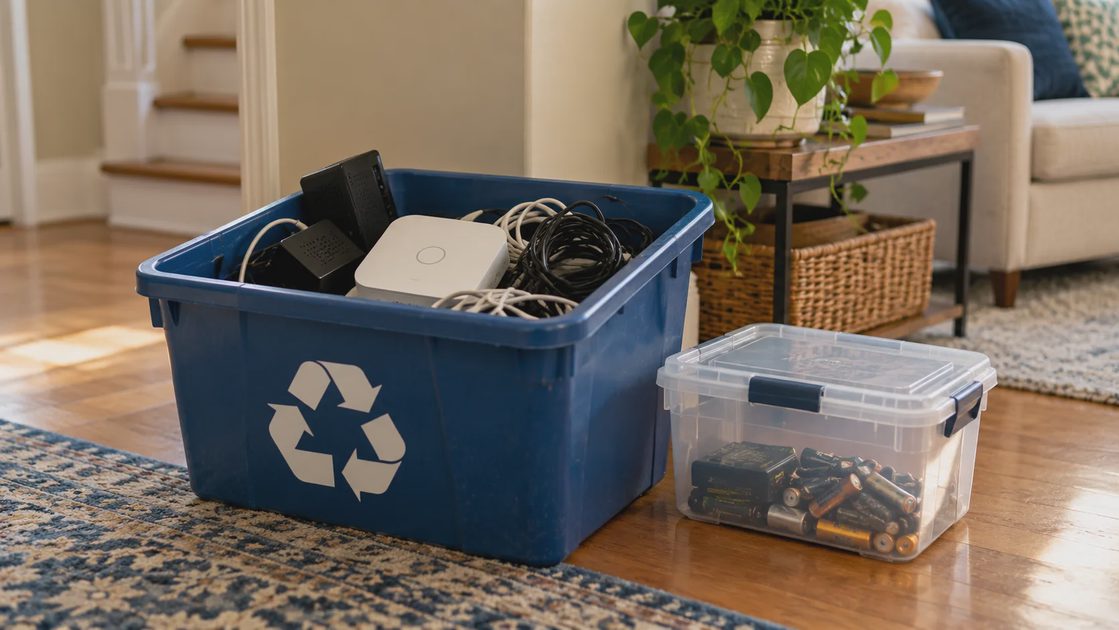
For retirement, remove supported account links and stored data, preserve needed access, and handle electronics and batteries through suitable recycling routes. Remove obsolete rules so the home does not keep waiting for a device that is gone.
Repair first is a method of investigation, not a commitment to keep every old device indefinitely.
Retire the device completely when keeping it no longer helps
Follow the manufacturer's account-removal and data-reset procedure before transfer or disposal, where the product supports it. Remove obsolete integrations and rules without breaking other devices that still rely on the same bridge.
Handle batteries and electronics through appropriate local disposal or recycling arrangements. Do not give someone damaged equipment without clearly describing its condition. If a device contains recordings or other private data, address that storage as part of retirement.
Update the inventory and household instructions. A removed sensor can leave an automation silently waiting for an event that will never occur. A removed bridge may affect more than the device you intended to replace.
Repair-first ownership is a method of making a sound decision, not an obligation to keep every old product. Keep what can be restored safely and usefully, replace what has a justified continuing role, and retire what no longer serves the household.