A smart-home audit asks whether the current system still makes everyday life easier. It is a chance to keep useful functions, remove unnecessary dependencies, and reconfigure routines that no longer fit.
This is a practical audit method, with hypothetical examples. It is not a report of a documented household experiment or a claim that particular products were personally tested.
Choose the audit's purpose and boundaries
A smart-home audit is different from routine maintenance. Maintenance asks whether batteries, software, and physical condition need attention. The audit asks whether the system still deserves its current shape. A device can pass every maintenance check and still create more work than value.
Choose a practical goal before starting: reduce confusing controls, stop recurring automation conflicts, clarify account ownership, or reduce unnecessary dependencies. “Make everything smarter” is too vague to guide a decision. “Make hallway lighting understandable to every resident” gives you a function to evaluate.
Set boundaries for the first review. You can audit the whole inventory while making changes to only one nonessential function at a time. Avoid turning the process into an immediate migration of every device. The useful result is a reasoned set of decisions, not a large number of changes made in one afternoon.
Agree on which functions must remain available throughout the work. Safe entry and exit, necessary temperature control, and other important household needs deserve explicit protection. The audit should reduce friction while the household continues to live normally.
Build an inventory of functions
List the devices, but also list what each one does for the household. “Hallway lighting after dark” is more useful than “three sensors and five bulbs.”
For each function, record the input, action, rule owner, required network path, account, and manual alternative. Include recurring costs and the person responsible for maintenance.
Do not publish the resulting document with setup codes, passwords, or access credentials. Keep sensitive recovery information separately and securely.
Inventory functions as well as hardware
A device list explains what you own. A function list explains why you own it. Both are needed because one household function can involve several products, and one product can support several functions.
For example, hallway lighting may depend on a motion sensor, a bridge, a rule, and a light. The bridge may also serve other rooms. Removing a seemingly redundant box without checking those relationships could break several useful functions.
Use this expanded worksheet:
Field | What to record |
|---|---|
Household function | The useful outcome in ordinary language |
Devices involved | Exact products needed to produce it |
Trigger and action | What starts the behavior and what changes |
Rule owner | Platform or account holding the automation |
Dependencies | Power, network, bridge, cloud, and subscription paths |
User control | Normal control and easy override |
Maintenance owner | Person responsible for ongoing upkeep |
Cost and burden | Recurring charges, troubleshooting, and replacement needs |
Evidence of usefulness | Observed household reliance or a stated current need |
Mark unknown items for investigation. If nobody knows where a rule lives, that uncertainty is itself a usability problem. Do not solve it by adding another routine in a different app; locate the existing instruction first.
Ask the people who use the home
The installer and the other residents may experience the system differently. The person who configured a scene knows its name and conditions. Another person may only know that the lights sometimes change unexpectedly.
Ask concrete questions: which control do you use, which behavior surprises you, and what do you do when it does not work? Avoid asking only whether someone “likes the smart home.” A general opinion can miss a useful lock feature or a frustrating bedtime routine.
Include visitors and accessibility needs in the design decision where relevant. A guest should not need an app account for ordinary lighting. A household member with a different routine should have an understandable way to pause nonessential automation.
Record disagreements without forcing an immediate technical solution. One person may value automatic lighting while another dislikes its timeout. The answer may be a revised delay or clearer physical control rather than removing the hardware or adding another sensor.
Useful evidence includes repeated reliance and repeated workarounds. If people consistently use a manual switch instead of a scene, find out why. The workaround may be simpler, more predictable, or better aligned with the activity.
Evaluate usefulness, reliability, and ownership together
Do not score the system solely by device count or technical sophistication. A small setup can be confusing, and a larger setup can be manageable if its functions are clear.
Consider these dimensions for each function:
Usefulness: does it address a current household need?
Reliability: does it work during the conditions that matter?
Comprehensibility: can residents predict and control it?
Support: is there a suitable software and service path?
Privacy: is access and data collection proportionate?
Ownership: can someone realistically maintain and recover it?
A function does not need a perfect numerical score to earn its place. The dimensions help explain trade-offs. A camera may be useful but require narrower viewing permissions. A lighting routine may be reliable but need a more understandable override. A bridge may be unobtrusive and essential despite appearing unused.
Write a short reason beside the decision. “Keep because residents rely on the entry light and can use the physical switch” is actionable. “Keep because it is a premium device” does not explain household value.
Sort by the household job, not the gadget type
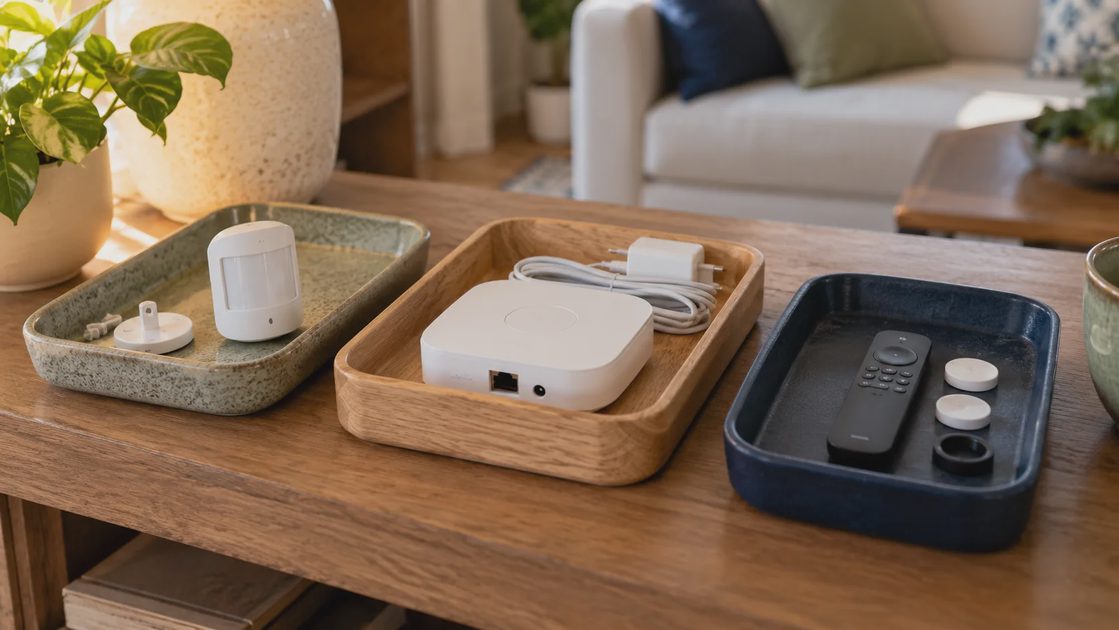
Use three possible decisions:
Decision | Evidence to look for | Hypothetical example |
|---|---|---|
Keep | Repeated useful behavior, manageable upkeep, suitable support | Entry light schedule that people rely on |
Remove | No current need, duplicated role, or unacceptable ownership burden | Redundant decorative routine nobody uses |
Reconfigure | Useful goal but wrong timing, trigger, or rule ownership | Away mode that ignores someone working at home |
A device can be useful while its automation is not. Remove a troublesome rule before discarding healthy hardware. Conversely, an attractive device does not earn a place simply because it connects successfully.
Distinguish removing a rule from removing a product
A useful device can be attached to an unsuitable automation. Before retiring healthy hardware, inspect the rule's timing, trigger, target, and ownership. A temperature routine that assumes an empty home may need a revised condition rather than a new thermostat.
Likewise, successful pairing does not justify keeping a device. A decorative routine nobody uses can be technically flawless and still unnecessary. Its account, updates, and dependencies remain part of the ownership burden.
Finding | Possible decision | First reversible step |
|---|---|---|
Useful device, wrong timing | Reconfigure the rule | Pause the conflicting period and test revised timing |
Duplicate control paths | Simplify ownership | Identify one authoritative rule before retiring the duplicate |
No current household need | Remove the function | Pause nonessential automation and observe ordinary use |
Useful function, unsuitable support | Plan an alternative | Verify replacement requirements and preserve manual access |
Unclear dependency | Investigate before changing | Trace the bridge, account, and controller path |
Avoid creating an unsupported workaround merely to preserve a product. If keeping the device requires an arrangement nobody can maintain, include that burden in the decision. A repair or replacement may be appropriate, but it should follow the documented need.
Inspect the dependencies before removing anything
A hub that seems unused may still route sensors or run a routine. A spare-looking bridge may expose lights to the main platform. Check the actual dependencies and preserve supported backups.
Change one function at a time. Keep the physical device available until you know the simpler setup works. Remove obsolete account integrations and rules through documented processes once they are no longer needed.
The FTC's Wi-Fi security guidance is a useful baseline for the network review. Security upkeep remains necessary even when you own fewer connected devices.
Trace dependencies before retiring shared infrastructure
Bridges, hubs, controllers, and border routers often sit quietly while performing essential jobs. Their value is not measured by how often someone opens their app. Record which devices and rules actually depend on them.
Check the supported platform inventory and relevant manufacturer documentation. If a bridge exposes devices to another system, inspect that integration as well. An empty-looking application does not establish that the hardware is unused.
Before removal:
Identify dependent devices and routines.
Confirm an alternative path if one is required.
Preserve supported configuration backups where available.
Test the alternative with a nonessential function first.
Keep the old arrangement available until the new path is verified.
Retire obsolete integrations through documented procedures.
Do not assume that moving to a newer protocol preserves every feature. Compatibility, device categories, and platform capabilities need verification for the exact arrangement. The audit is not an argument for replacing all older technology; it is a way to preserve useful functions with manageable dependencies.
Make one controlled change and keep a way back
Treat a change as a small trial. State what will change, why, and how you will know whether it helped. Record the previous setting or rule before modifying it. Where a supported backup exists, understand what it includes.
For a lighting routine, you might pause a redundant rule and test whether ordinary lighting becomes more predictable. For a comfort schedule, you might simplify the trigger while retaining easy manual adjustment. The trial should preserve necessary functions and avoid using a household inconvenience as evidence collection.
Use a change log:
Item | Entry |
|---|---|
Function under review | Name the household job |
Observed problem | State the actual repeated difficulty |
Proposed change | One rule, setting, or dependency |
Previous configuration | Record enough to restore it |
Expected improvement | Define the useful behavior |
Review conditions | Ordinary days or situations to observe |
Result and decision | Keep the change, revise it, or revert |
If several changes occur together, acknowledge that the result cannot isolate one cause. A working home is still valuable, but the explanation should match what you tested. Clear records reduce the chance that someone later restores the old conflict accidentally.
Test the simpler home with another person
Ask another household member to perform ordinary tasks: turn on a light, adjust temperature, enter and leave safely, and pause a routine. Preserve necessary services and backup access during testing.
Notice where explanation is required. A household function that works only when the original installer is present may need a clearer physical control or simpler rule.
Record missed events and unwanted actions for ordinary workdays and weekends. Avoid declaring success after one demonstration.
Test ordinary tasks with another resident
A demonstration by the installer proves less than a normal task completed by someone else. Ask an authorized household member to turn on a light, make a normal temperature adjustment, pause a nonessential routine, or explain backup access.
Observe where they hesitate. Does a control have an unclear name? Does a manual adjustment disappear? Is the useful button hidden in an app that only you have? These are design findings, not user mistakes.
Test the conditions relevant to the change. A bedtime routine should be reviewed during normal bedtime use. An arrival behavior should account for ordinary arrival variations. Do not declare success because one carefully staged event worked.
Keep the process collaborative. Explain what changed and give residents a clear way to report unwanted behavior. An audit that makes the configuration simpler for its administrator but harder for everyone else has missed the site's practical goal.
A function that requires a long explanation may need a simpler physical control, clearer naming, or fewer conditions. Training can help, but it should not be used to excuse needless complexity.
Review account, privacy, and recurring-cost burdens
List active subscriptions and external services by the function they support. A monthly charge can be worthwhile if it serves a current need. An abandoned account can remain a privacy and maintenance burden even when no payment is involved.
For each service, ask what stops working if it is removed. Verify storage retention, access permissions, and cancellation effects through current documentation before acting. Do not assume recorded data or configuration remains available after a plan change.
Review camera viewers, lock permissions, and home-platform access separately. Remove obsolete access through supported procedures. Preserve necessary household permissions and recovery ownership while simplifying the account structure.
Include the time cost: recurring resets, battery attention, and troubleshooting sessions. Avoid assigning an invented dollar value to every minute. A qualitative record such as “requires administrator intervention several times during the observed week” can be enough to justify investigation.
A purchase is justified only after the audit identifies a missing or unsuitable function. Check whether an existing control, revised rule, supported repair, or removed dependency addresses the need first.
Give maintenance a realistic owner
Identify batteries, cleaning, supported updates, and recovery procedures. Google's device-cleaning guide shows why one generic cleaning method should not be applied to all products.
Assign a person and review date to remaining tasks. If nobody will maintain a proposed controller or routine, that is part of its real cost.
Decide who will maintain the remaining system
Every retained function needs a realistic owner. That does not mean one person must perform all technical work. It means the household knows who will notice updates, arrange service, and maintain the inventory.
Record the required work in ordinary language: replace the approved battery when indicated, review access after a resident changes, or verify a supported controller backup. Put credentials in appropriate secure storage rather than beside the general task list.
If ownership cannot be assigned, simplify the function until its upkeep is realistic. A highly capable custom setup can be a poor household fit when only one person understands it and that person no longer wants to maintain it.
Link audit decisions to the maintenance checklist. The audit determines what remains worthwhile; maintenance preserves the chosen arrangement. Keeping those purposes clear prevents every annual review from becoming another redesign.
Finish with decisions the household can understand
Write a short change log: what stayed, what was removed, what was reconfigured, why, and how to undo the change where possible. Link it to the maintenance inventory.
A reasonable audit can end without buying anything. It can also reveal a genuine missing function, but that purchase should follow the documented need.
The outcome is not the smallest possible device count. It is a home with useful behavior, clear controls, and manageable ownership. A smarter home should feel easier, not harder.
Close the audit with a household decision record
Summarize what stayed, what changed, and what was retired, with reasons people can understand. Include unresolved questions and assigned follow-up rather than hiding them inside a completed checklist.
A useful final record names the normal control, the override, the maintenance owner, and any necessary dependency for each important function. It should be readable without knowing the system's entire history.
Set a review date and revisit relevant decisions after a move, new routine, service change, or recurring failure. The goal is not a permanently finished smart home. It is a home whose current functions are useful, predictable, and affordable to maintain.
An audit can end with no purchases and only a few rule changes. It can also justify a targeted repair or replacement. Either outcome is sound when it follows observed household needs and leaves the people using the home with clearer control.