
The best smart home automation devices solve a problem you already have. They turn off lights when everyone leaves, adjust heating before bedtime, or alert you when a basement door opens. They should not create a second job involving constant resets, confusing apps, and weak wireless signals. A smarter home should feel easier, not harder.
Start With Your Existing Home
Before buying anything, write down what you want to improve. A renter might need simple lighting and leak alerts without changing wiring. A homeowner with high cooling bills may get more value from a smart thermostat and room sensors than from colorful light strips. Someone with an unreliable door lock may need fresh batteries and stronger Wi-Fi rather than a new lock.
Next, check your current ecosystem. Apple Home, Google Home, Amazon Alexa, Samsung SmartThings, and Home Assistant can connect different brands, but compatibility does not always mean a smooth experience. Look for the exact model number, required hub, supported voice assistant, and whether important features work locally when the internet is unavailable.
Matter is a newer standard designed to improve cross-platform compatibility. Thread is a low-power mesh network often used by Matter devices. Neither one magically fixes poor placement or an overloaded router. A Matter device still needs a compatible controller, and some products require a Thread border router. Read the setup requirements before opening the box.

Choosing Smart Home Automation Devices That Work Together
When comparing smart home automation devices, choose a primary platform first. If your household already uses iPhones and Apple TV, Apple Home may be a natural fit. Android households may prefer Google Home, while Alexa is widely used with Echo speakers and affordable plugs. Home Assistant offers deeper control and local processing, but it demands more time and technical patience.
For a first project, stay within one or two communication types. Wi-Fi plugs are easy to install but add traffic to your router. Zigbee and Z-Wave products can be dependable in a mesh network, though they usually need a hub. Thread devices can be efficient and responsive, but troubleshooting is less familiar to many beginners.
A practical starter set might include a smart plug costing $10 to $25, a motion sensor around $15 to $40, and a simple bulb or dimmer between $15 and $60. Do not buy ten devices at once. Install one, use it for a week, and learn whether it stays connected during the routines that matter.
Install Safely and In the Right Order
Begin with the network, not the gadget. Place the router in an open, central location, update its firmware, and confirm that the device supports your Wi-Fi band. Many inexpensive products use 2.4 GHz Wi-Fi, while some newer equipment can use 5 GHz. If pairing fails, temporarily move the device close to the router and keep your phone on the network the product expects.
For battery devices, install fresh batteries and check the manufacturer’s recommended type. For plugs, lamps, and sensors, label each device in the app with a useful name such as “hallway lamp” instead of “plug 4.” Clear names prevent accidental commands and make automations easier to understand six months later.
Replacing a standard light switch can involve line voltage and requires turning off the correct circuit breaker. Never rely on the wall switch alone, and do not work on wiring if you cannot identify the wires confidently. A licensed electrician should handle uncertain wiring, new circuits, hardwired cameras, and any installation involving a panel or outdoor electrical supply.
Build Automations That Survive Real Life
The most reliable smart home automation devices support simple triggers and clear exceptions. A motion sensor can turn on a hallway light after sunset, but add a short timeout so the light does not remain on all night. A door sensor can notify you when the garage opens, but avoid sending repeated alerts every few minutes.
Start with one condition and one action. For example: when the front door opens after 10 p.m., turn on the entry light for five minutes. Test it manually, then test it when the phone is away, the internet is briefly interrupted, and another family member uses the room. This exposes problems that look invisible during a quick setup.
Avoid automations that create surprises. A geofencing rule can turn lights off when everyone leaves, but it might misfire when a phone battery dies or a guest remains inside. Add a physical control wherever practical. The best system gives people an easy manual option instead of forcing them to open an app.

Energy Savings Require Measurement
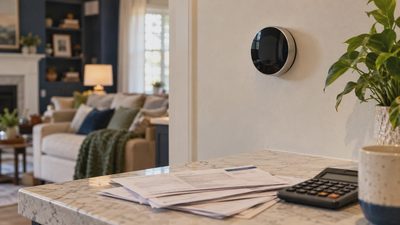
Smart home automation devices can help control energy use, but the device itself does not guarantee savings. A smart thermostat may reduce heating or cooling when the home is empty, yet aggressive schedules can make the system work harder when occupants return. Savings depend on insulation, weather, equipment efficiency, utility rates, and how the household uses the home.
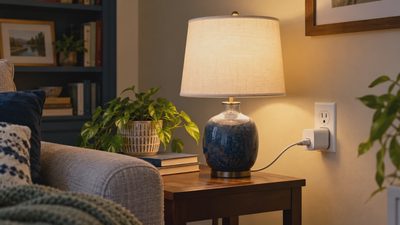
Use a smart plug with energy monitoring for a refrigerator in a garage, entertainment center, or office setup. Compare usage before and after a schedule rather than trusting a marketing estimate. A plug costing about $20 can reveal whether a $100 automation project has a meaningful effect. For a central HVAC system, confirm that a thermostat is compatible with the wiring, heat pump type, auxiliary heat, and any existing control accessories.
Keep comfort as part of the calculation. Saving a few dollars is not worthwhile if a bedroom becomes too hot or a sump pump loses power because of an unsuitable smart plug. Do not place high-load appliances such as space heaters, dryers, or major kitchen equipment on products that are not specifically rated for them.
Fix Disconnections Before Replacing Devices
When a device disappears, repair before replace. Check power, batteries, distance from the router or hub, firmware, and the app account. Restart the device and network one at a time. If you reset everything simultaneously, you lose the clues that identify the real problem.
For a Wi-Fi product that drops frequently, test it near the router. If it works there but fails in its normal location, coverage is the likely issue. A mesh system, access point, or wired connection may help more than a newer gadget. For Zigbee or Thread products, moving a powered device between the hub and the sensor can improve the mesh. Metal cabinets, concrete walls, and large appliances can weaken signals.
Privacy deserves the same practical attention. Use unique passwords, enable two-factor authentication when available, review microphone and camera permissions, and remove old devices from accounts before selling them. Avoid placing cameras in private rooms, and choose local-storage options if constant cloud recording is not necessary.
A Simple Buying Checklist
Before purchasing smart home automation devices, answer six questions: What problem will this solve? Which platform will control it? Does it need a hub or border router? Does it work with the wiring and network already in the home? What happens if the internet goes down? Can someone still use the physical switch or control?
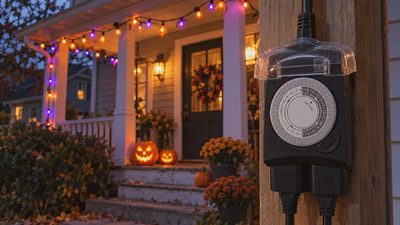
Then estimate the complete cost. A $25 sensor may require a $70 hub, a better router, or a subscription for useful alerts. A $45 camera may cost more over several years if cloud storage is required. Compare the total price with a non-smart solution, such as a mechanical timer, standalone leak alarm, or conventional motion light.
The strongest smart home automation devices are not necessarily the newest or most expensive. They are the ones that install safely, connect consistently, respect privacy, and perform a useful job without daily attention. Start small, test one change at a time, and build only when the first improvement earns its place.