
Smart home sensors can make a house more comfortable, safer, and less wasteful, but only when they solve a real problem. A motion sensor that turns off the hallway light is useful. A door sensor that disconnects every few days is not. The best approach is to start with your existing home, Wi-Fi network, and daily routines before buying another device.
What smart home sensors actually do
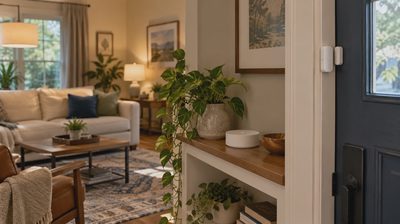
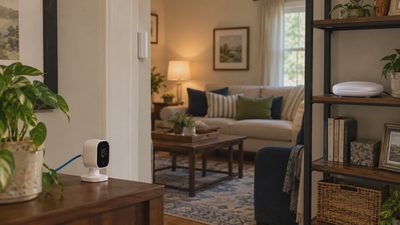
Smart home sensors detect a change and report it to a controller, app, or automation system. A contact sensor notices whether a door or window is open. A motion sensor detects movement. Temperature, humidity, water-leak, smoke, light, and air-quality sensors measure conditions that are less obvious during a busy day.
The sensor itself usually does not perform the entire automation. It sends information to a platform such as Apple Home, Google Home, Amazon Alexa, Samsung SmartThings, or Home Assistant. That platform decides what happens next. For example, an automation could turn on a lamp when motion is detected after sunset, send a phone alert when a basement leak sensor gets wet, or adjust a thermostat when a room remains unoccupied.
This distinction matters because compatibility has two parts. A device may connect to an app but still lack the trigger or action you need. Before purchasing smart home sensors, write down the exact result you want: “alert me if the freezer door stays open” is more useful than “make the kitchen smarter.”
Choose the connection before the device
Most smart home sensors use Wi-Fi, Bluetooth, Zigbee, Z-Wave, Thread, or a combination of these technologies. Wi-Fi models are often simple to start with because they connect directly to your router, but many battery-powered Wi-Fi devices use more power and can add congestion to a crowded network. Bluetooth sensors can work well nearby, especially with a phone or compatible hub, but range through walls can be limited.
Zigbee and Z-Wave generally require a hub or controller. They are designed for low-power devices and can be reliable in a larger system, but you need to confirm that the hub supports the specific product. Thread is a low-power mesh network used by many newer devices. Matter is a smart-home standard that helps compatible products work across platforms, but Matter does not guarantee that every advanced feature works everywhere.
For a small apartment, a few Wi-Fi or Matter-over-Thread products may be enough. In a larger house with several battery devices, a dedicated hub and mesh protocol can be easier to maintain. Do not buy a bridge simply because a product page mentions one. Confirm which controller you own, which radio it supports, and whether the desired automation is available.

Install smart home sensors in the right order
Installation is usually beginner-friendly when the sensor is battery-powered and attached with removable adhesive. Begin by updating your hub or home app, then install fresh batteries. Pair the sensor near the controller before mounting it in its final location. This avoids mistaking a weak signal for a defective device.
Test the sensor on a table first. Open and close a contact sensor several times, walk past a motion sensor at different distances, or place a temperature sensor in the intended room for a few hours. Check whether the app reports changes promptly. If the device works beside the hub but fails across the house, improve the network path instead of repeatedly deleting and re-adding it.
Mount contact sensors on a stable door or window frame, with the two pieces aligned according to the instructions. Avoid placing a motion sensor behind furniture, near a heating vent, or where sunlight creates false triggers. A water sensor belongs on the floor at the likely leak location, not on a shelf where it cannot detect a small puddle.
Do not open a wall, modify household wiring, or connect a sensor to line voltage unless you understand the electrical requirements and local safety rules. A wireless sensor project is appropriate for many do-it-yourself installations; hardwired electrical work is a job for a qualified professional.
Make automations useful instead of noisy
The most successful smart home sensors support a simple routine. A motion sensor in a laundry room can turn on a light for five minutes. A door sensor can remind you that the garage entry door is open at bedtime. A humidity sensor can start a bathroom fan after a shower, provided the fan and controller are compatible.
Avoid building automations that depend on too many conditions at once. If a hallway light requires motion, a specific phone location, a time window, and an internet connection, one failure can leave everyone walking through the dark. Start with one trigger and one action. Run it for a week, then add a condition only if the household needs it.
Privacy deserves equal attention. A simple contact or temperature sensor usually reveals less than a camera, but activity patterns can still be sensitive. Review account sharing, notification settings, cloud storage, and two-factor authentication. Place sensors where they serve a clear purpose, and remove old devices from your account when you sell or replace them.
Troubleshoot before replacing a sensor
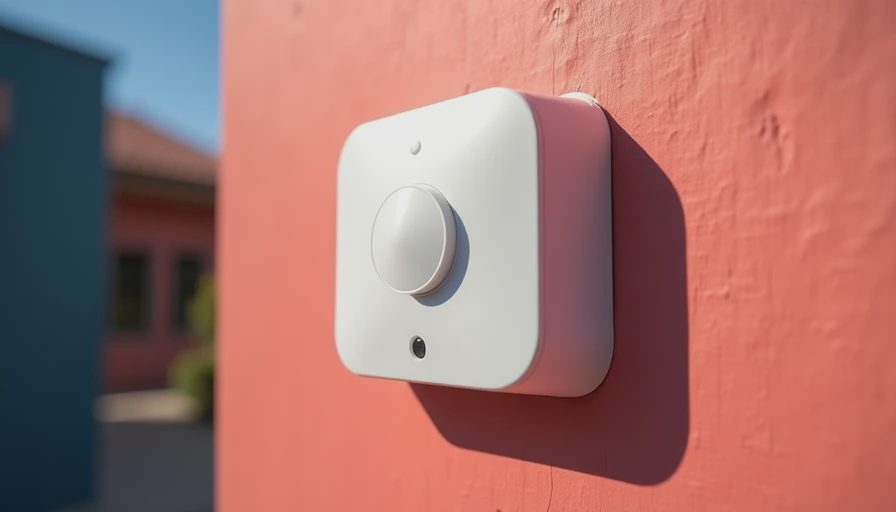
When smart home sensors stop responding, begin with the basic checks. Replace the battery even if the app still shows a partial charge. Confirm that the sensor is not blocked, wet, loose, or physically damaged. Then check whether your router, hub, or Matter controller is online. A recent network name or password change can disconnect many devices at once.
If only one sensor fails, bring it near the hub and test it. A successful nearby test points to range, interference, or mesh placement. For Zigbee, Z-Wave, or Thread devices, powered devices such as compatible plugs or switches may help create a stronger network path. Give the system time to rebuild its route after moving equipment.
Do not reset everything immediately. A factory reset erases useful pairing information and can create more work. Change one variable at a time: battery, location, hub connection, firmware, or automation rule. If the sensor reports correctly in the manufacturer app but not in your main platform, the problem is probably an integration or permission issue rather than the hardware.
Build a sensible first setup
A practical starter system might include one contact sensor for the most-used exterior door, one motion sensor for a dark passage, and one water sensor near a water heater, washing machine, or basement plumbing. That small setup can cost roughly $40 to $150 depending on the brand, hub requirements, and whether you choose premium Matter or professionally integrated equipment.
Before buying smart home sensors, check battery availability, mounting method, return policy, local network coverage, and platform support. Brands such as Aqara, Eve, Philips Hue, Ring, Yale, and Samsung SmartThings offer products aimed at different ecosystems, so the logo alone is not a compatibility guarantee. Read the supported-device list for your controller rather than relying only on a marketplace title.
You also do not need to replace every switch or appliance. Start with the place where a clear alert or automation would save effort, prevent damage, or reduce wasted energy. Measure whether the routine helps: fewer forgotten lights, earlier leak detection, or a more comfortable room is a better result than a long device list.
A smarter home should feel easier, not harder. Choose one useful problem, confirm compatibility, install carefully, and let the system prove its value before expanding.