
You need a smart-home hub when it provides a function your proposed devices or routines require and your existing equipment does not already provide. That might be a compatible radio, a persistent automation controller, a bridge into your preferred platform, or a supported route for remote access. You do not need to buy a separate box simply because the home contains several connected devices.
Start by identifying the missing function, then check whether you already own it. A speaker, streaming device, lighting bridge, or automation computer may perform some hub functions. A similarly named product from another generation may not. The useful question is not “How many gadgets do I have?” but “What does this particular routine need to work?”
This guide is a buying framework for ordinary U.S. homes. It does not rank products or assume that a hub makes every accessory compatible. Exact device support, platform requirements, and software capabilities should be checked before purchase.
Translate “hub” into the job it performs
Hub is a broad product term. Two boxes described as hubs can have very different capabilities. One may operate a particular lighting system, while another runs cross-brand automations and communicates through several supported integrations.
Identify the role rather than relying on the product name:
Role | What it contributes | What to verify |
|---|---|---|
Radio coordinator or controller | Communicates with supported Zigbee or Z-Wave accessories | Exact radio, region where applicable, and device support |
Matter controller | Controls supported functions through Matter | Platform requirements and accessory category support |
Thread border router | Routes traffic between Thread and other home networks | Supported network arrangement and actual hardware role |
Brand bridge | Connects selected accessories to another system | Which devices and features it exposes |
Automation host | Evaluates rules and sends actions | Where rules run and which dependencies they need |
Remote-access endpoint | Provides a supported path into the home system | Account, connectivity, service, and permission requirements |
One physical product can perform several roles. However, buying hardware with several logos does not establish that it supports every function you want. Record the exact role needed for each accessory and rule.
A Wi-Fi router primarily provides networking. Some routers also contain smart-home functions, but that is a specific feature to verify. A normal router should not be assumed to control a Zigbee sensor simply because both products are wireless.
A Thread border router is not the entire automation system
The Thread Group distinguishes border routers from other network participants. A border router connects the Thread network with other networks; it is not, by that role alone, the application that decides what the hallway light should do. Battery end devices do not extend the mesh by routing traffic. Thread Group: home-network roles.
For a Matter-over-Thread project, identify both the network route and the supported Matter control arrangement. These can live inside one product. Checking the two functions separately prevents buying equipment that supplies only half of the required setup.
Inventory what the home already contains
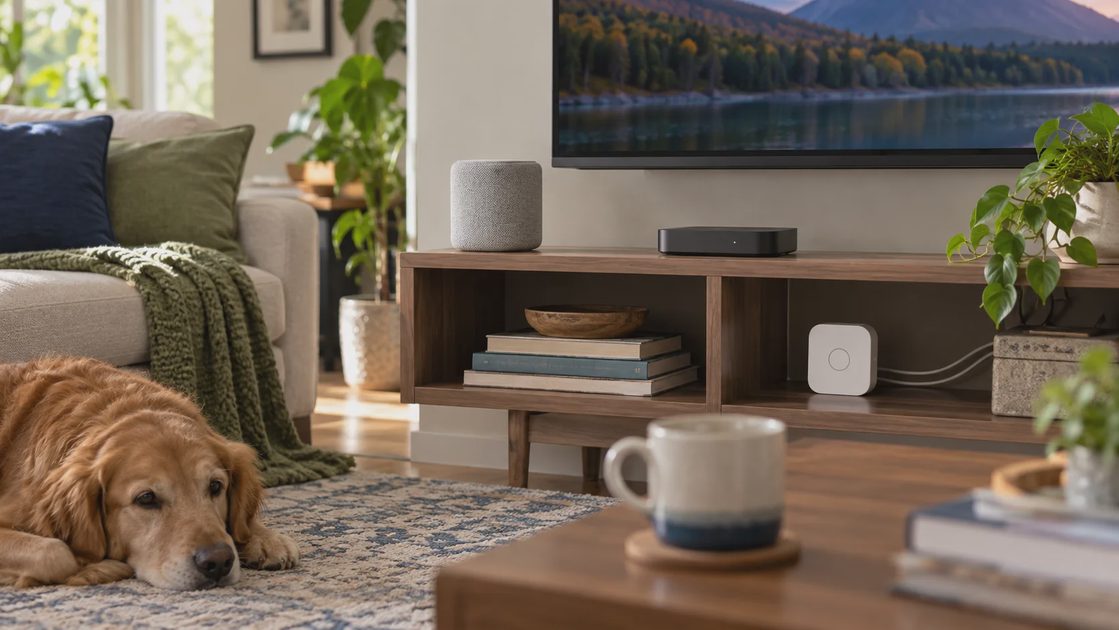
Before shopping, list the equipment you already use. Include its exact model or generation, where it is installed, and which account owns it. Do not count a product as available infrastructure until its relevant function is verified and enabled.
A useful inventory might contain a speaker, a streaming box, a lighting bridge, an existing security panel, or a small computer running an automation platform. It may also reveal that the household already has several overlapping controllers without a clear reason.
Existing item | Current job | Possible additional role | Confirmation needed |
|---|---|---|---|
Smart speaker or display | Voice or screen control | Matter control or Thread routing | Exact generation and platform documentation |
Streaming device | Television playback | Home-platform hub | Supported model and setup state |
Lighting bridge | Controls current lights | Bridge into another platform | Supported accessories and exported functions |
Automation computer | Runs home software | Local rules and integrations | Current configuration and required adapters |
Router | Provides home networking | Optional smart-home functions | Model-specific capability |
Apple's home-hub guidance, for example, describes home-hub requirements for adding Matter accessories in Apple Home and additional Thread requirements. Google similarly distinguishes hubs supporting Matter over Wi-Fi from those that also provide Thread support. These are platform-specific requirements, not universal instructions for every system. Apple: home hubs. Google: prepare for Matter.
The inventory should include availability, not just ownership. A controller unplugged in a drawer cannot run a routine. Equipment at another property does not provide infrastructure in this home. A device belonging to someone who will soon move out may not be a stable foundation for household access.
Write one routine as a chain of requirements
Consider a hypothetical pantry routine: when someone enters, turn on the light; after the room is no longer being used, turn it off unless someone has deliberately overridden the rule.
The chain contains a sensor event, a rule, a lighting command, and a release condition. The sensor and light do not have to use the same radio if a supported platform can combine their functions. They do need a complete, working control path.
Fill in these blanks:
The sensor sends its event through ___ .
The event becomes available in ___ .
The automation rule runs in ___ .
The rule controls the light through ___ .
Manual operation remains available through ___ .
If the internet stops working, ___ remains usable.
If you cannot complete one line, that is the missing requirement to investigate. It is not yet proof that you need a new hub. The solution might be a supported integration, a configuration change, a different accessory, or ordinary manual control.
A schedule stored in a device may not require the same supporting equipment as a cross-brand sensor routine. Check the actual feature rather than extrapolating from one successful action to every possible automation.
Distinguish a missing radio from a missing feature
A hub with the right radio can communicate with a device while still failing to expose the event you need. A button might appear as an accessory without its long-press action. A plug might support on/off control without showing its detailed energy history.
Ask about the exact trigger and action. “Supports sensors” is less useful than confirmation that this sensor's motion event can start this routine. Likewise, “works with plugs” does not establish every monitoring or scheduling function.
A device support list is a starting point. Read the integration details and limitations when the desired behavior depends on more than ordinary control.
Know when keeping the current setup is reasonable
You may not need a separate hub for a small number of supported Wi-Fi devices whose existing apps and controls already meet the household's needs. That does not mean all Wi-Fi products work the same way; account and service dependencies still need checking.
Keep the current arrangement when:
Each device performs a clear, useful job.
Household members can operate the relevant physical controls.
Existing scheduling or app control is sufficient.
You understand any remote-service dependencies.
Recovery and maintenance are manageable.
A new hub would add no required feature.
A lamp scheduled through its supported app may be perfectly satisfactory. Moving it to a different platform can be worthwhile if it reduces repeated effort or enables a needed routine, but “everything in one dashboard” is not automatically enough benefit to justify migration.
Also compare a nonconnected alternative. An ordinary timer or a conveniently placed switch may solve the problem without adding an account or controller. The home becomes more capable when its problem is solved, regardless of how many app tiles appear.
Recognize the projects that can justify a hub

A hub becomes a stronger candidate when it supplies a documented requirement that would otherwise prevent the project. Low-power accessories needing a compatible controller, cross-brand rules, or a supported local automation host can create that need.
Proposed project | Reason a hub function may matter | First question |
|---|---|---|
Add a Zigbee sensor | Requires a compatible coordinator and integration | Does existing equipment already support this exact sensor? |
Add a Z-Wave lock | Requires an appropriate controller and regional match | Are lock functions supported through the chosen integration? |
Use Matter over Thread | Needs the supported controller and Thread route | Which existing product supplies each role? |
Combine different brands | Needs a platform exposing both trigger and action | Can the current platform already do it? |
Run a local routine | Needs a supported local rule host and local integrations | Which dependencies remain inside the home? |
Provide shared or remote control | Needs the platform's supported persistent arrangement | What hardware, account, and service are required? |
A local hub is not a blanket offline guarantee. Home Assistant's documentation distinguishes locally communicating integrations from vendor-cloud dependencies. The useful evaluation is whether the specific routine remains local from trigger to action. Home Assistant: operation without internet.
You can accept a cloud-dependent convenience feature if you understand its limits and preserve appropriate ordinary control. The purchase should match the consequences of failure, not an abstract promise that one architecture is perfect.
Compare total ownership, not the price of the box
The cost of a hub includes required adapters, bridges, supported accessories, subscriptions where applicable, installation, and the time needed to maintain it. Some equipment may be inexpensive to buy while demanding more configuration than the household wants.
Create a cost record with confirmed amounts and unresolved questions. Do not assume future rebates, free services, or subscription policies without checking current documentation.
Include these ownership factors:
New hardware and any required radio adapters.
Existing devices that can stay versus those needing replacement.
Recurring charges for the desired remote or storage features.
Time required to migrate rules and users.
Backup, update, and recovery procedures.
Who can resolve problems when the main installer is unavailable.
The last item is often overlooked. A highly flexible platform can be a poor household fit if only one person understands it and no recovery note exists. The right level of complexity is the level someone can maintain consistently.
Avoid buying a larger system for hypothetical future needs. If you know the next two projects, evaluate them. If expansion is only an idea, prioritize present usefulness and a sensible migration path instead of paying for every possible radio.
Plan migration around one low-consequence device
If a hub is justified, begin with one device whose failure is easy to recover from. A lamp is generally a simpler first trial than a front-door access routine or necessary climate control.
Read the supported transfer procedure. Some devices need removal from an existing network; others can be shared across platforms through a documented process. Do not assume every accessory can belong to two systems simultaneously.
Before changing anything, record current settings and rules. Identify automations in the old system that might still issue commands. Duplicate rule ownership can create confusing behavior even when both connections work correctly.
A controlled migration sequence is:
Set up the hub according to its current instructions.
Confirm account ownership, updates, and recovery access.
Add the trial device through its supported process.
Verify ordinary control before creating a routine.
Add one rule with a clear manual override.
Observe ordinary household use.
Expand only after resolving specific weaknesses.
The trial should include other household members. If a person can use the room only when the installer is present, the system needs better controls or documentation before it grows.
Evaluate the hub through results you can observe
A successful pairing is one milestone. A dependable home routine also needs the correct timing, usable manual operation, and predictable recovery.
Observation | What to record | Why it matters |
|---|---|---|
Normal action | Trigger, command, and physical result | Confirms the complete routine |
Manual override | What changes and how automation resumes | Prevents the system fighting the user |
Delayed or missed action | Exact failed stage | Separates device, connection, and rule problems |
Controlled service interruption | Supported local behavior | Tests the claimed dependency boundary |
Maintenance | Updates, resets, or repeated adjustments | Reveals ownership effort |
Household feedback | Helpful, confusing, or intrusive behavior | Checks usefulness beyond the installer |
Use a supported, low-consequence procedure for any interruption check. Do not deliberately compromise essential access or necessary heating and cooling to test convenience hardware. A controller power loss and an internet outage are different situations; record which one was evaluated.
If a rule fails, use the symptom to choose the next investigation. The device may be offline, its event may be absent, or a condition may block the action. Buying another hub before identifying the failed stage can reproduce the same problem.
Keep backup and recovery proportional to the system
Save the controller model, relevant manuals, account owner, and the names of important rules. Where the platform supports backups, establish its documented backup and restoration process. Do not assume every accessory's credentials and configuration are included in one backup file.
Store secrets securely. A shared household note can identify where recovery information is kept without containing passwords or entry codes. It should also explain which physical controls remain available.
Choose sensible update times and read relevant release information for changes affecting your system. If an update introduces a problem, preserve the observed behavior and use the documented recovery route. Repeated resets are a poor substitute for a clear maintenance process.
Retire unused equipment deliberately. Confirm that no remaining accessory or rule depends on it before unplugging a bridge that appears idle. An app you stopped opening may still be part of a working routine.
Make the decision in one sentence
A hub purchase should have a concrete explanation: “We need this supported controller to use these sensors in this routine,” or “This existing device already supplies the required home-hub function.”
Buy when a verified missing role justifies the full ownership cost. Use existing equipment when it already supplies that role. Keep the current arrangement when it works and a migration offers little benefit. Skip the project when ordinary controls serve the household better.
There is no required device count at which a home becomes ready for a hub. The right time is when the hub solves a specific problem with a supported, maintainable arrangement. A smarter home should feel easier after the purchase, including for the person who never wants to open its settings.