Smart thermostat installation is a compatibility job before it is a wiring job. The safe route is to identify your HVAC system, document the existing terminal connections, and follow the exact thermostat model's instructions. Wire color alone cannot tell you where a conductor belongs.
This guide is for preparation and the installation sequence, not a substitute for a manufacturer wiring diagram. Unknown wiring, line-voltage controls, proprietary communicating systems, or required modifications inside HVAC equipment belong with a qualified professional.
1. Confirm compatibility before buying
Proceed only when the exact replacement model supports your system and its power requirements are resolved. A familiar-looking wall control is not enough evidence.
What you discover | What to do next | Installation decision |
|---|---|---|
A documented compatible low-voltage system | Complete the exact model’s compatibility process | DIY may be suitable if every required step is within your ability |
A heat pump or multiple stages | Verify stage support and equipment configuration | Do not infer settings from wire colors |
A 120 V or 240 V thermostat label | Use equipment explicitly designed for that system | Do not connect a standard low-voltage thermostat |
Proprietary communicating controls | Consult the equipment manufacturer or installer | Do not substitute an ordinary thermostat without an approved solution |
Missing labels or uncertain equipment | Have the system identified | Pause before disconnecting anything |
A thermostat is a control for particular heating and cooling equipment. Its appearance does not tell you what it can safely operate. Before choosing a replacement, find the existing thermostat's model and the model information for the HVAC equipment. If you rent, establish who is authorized to approve changes. If the system is shared with other units or managed by a building, do not assume that replacing a wall control is a private, self-contained project.
The essential distinction is between equipment a proposed thermostat explicitly supports and equipment that merely seems similar. Conventional low-voltage systems, line-voltage electric heat, proprietary communicating systems, and various heat-pump arrangements have different requirements. A product advertised for common residential systems does not automatically support all of them. Use the manufacturer's compatibility process for the exact thermostat rather than a retailer's broad category description.
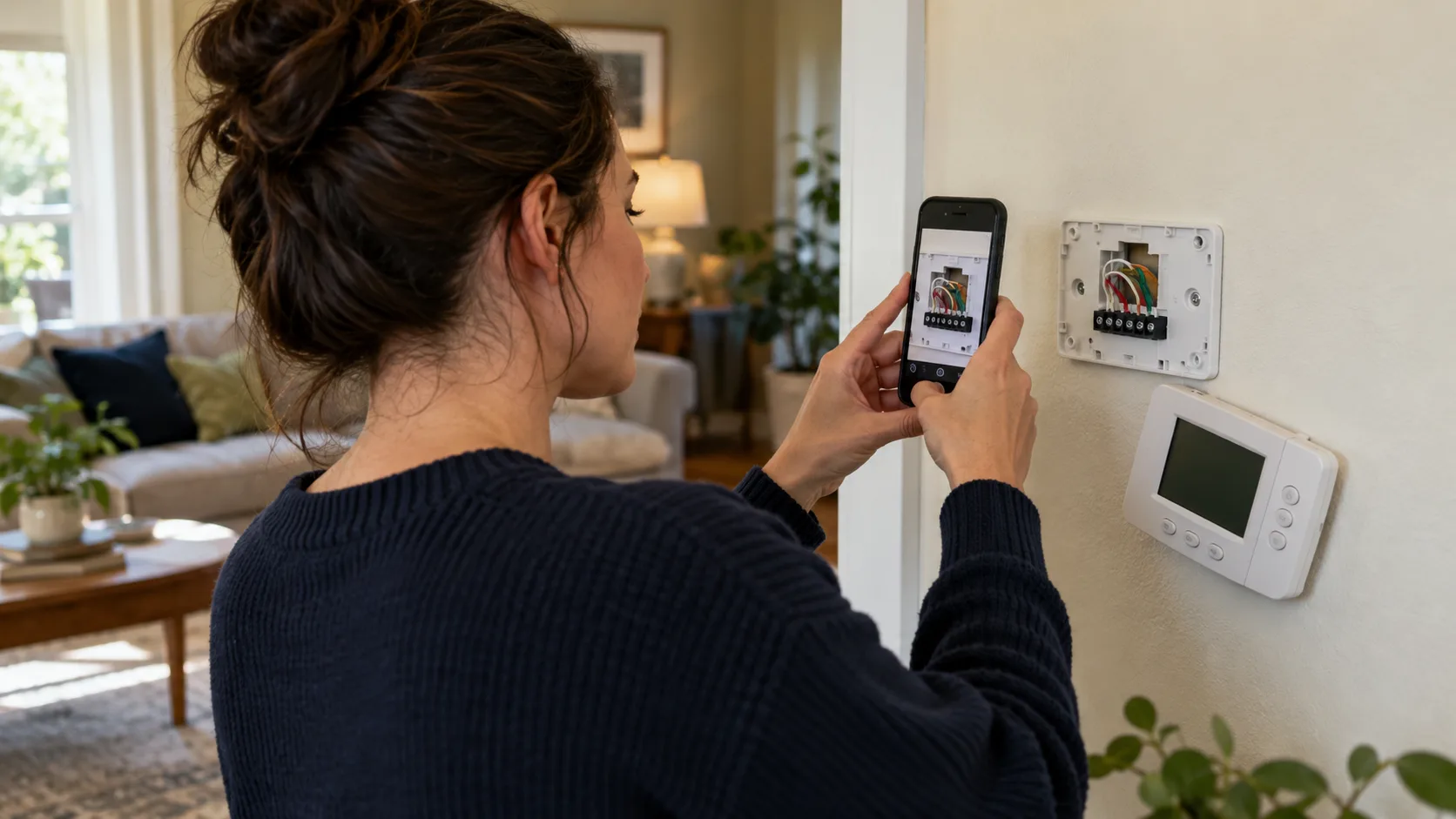
Photograph the existing thermostat and, when it can be accessed according to its instructions with power safely isolated, its connected terminal labels. Record labels and connections, not just wire colors. A red jacket is not proof that a conductor belongs on a particular terminal. Installations can have unconventional colors, reused conductors, or a previous labeling mistake. An unidentified conductor is a reason to investigate, not an opportunity to make an educated guess.
If identifying the equipment requires opening an electrical compartment, stop and have a qualified HVAC professional establish the circuit and configuration. Homeowners can still prepare useful information: model labels accessible without opening hazardous areas, existing operating behavior, photographs of the thermostat, and the replacement's compatibility questions. This reduces uncertainty without turning a product-selection task into electrical diagnosis.
2. Resolve the C-wire question before installation
Some smart thermostats need a reliable common-wire connection, often labeled C in compatible low-voltage systems. That connection is part of the control-power circuit; it should not be confused with the protective ground or a neutral conductor in household mains wiring. Whether a C wire is required, optional, or addressed by a specific adapter depends on the exact thermostat and system.
Google’s C-wire guidance confirms that power needs depend on the Nest model and system. Some installations require a supported accessory; a thermostat lighting up initially does not establish stable power.
An unused conductor behind the wall is not automatically a usable C wire. Its other end may be disconnected, assigned to a different purpose, or located where the homeowner should not be working. Likewise, an apparent absence of C at the thermostat does not prove that a particular power accessory will work. Compatibility has to include the equipment-side arrangement and the accessory's instructions.
Do not borrow a wire from another function because an internet diagram suggests the system can operate without it. Removing fan control, repurposing a connection, or adding an adapter can change equipment behavior. Those changes need to match the manufacturer's supported configuration. A thermostat that initially lights up is not sufficient proof that the wiring is correct or that heating and cooling will behave properly.
If the chosen thermostat is incompatible with the available power arrangement, sensible options include selecting a documented compatible product or having an HVAC professional install the supported wiring solution. Compare the complete cost and disruption before committing. Returning a product is usually preferable to improvising a connection that creates intermittent errors or incorrect operation.
3. Prepare a reversible installation
Before starting, confirm the following:
The exact thermostat model and regional manual are available.
The manufacturer’s compatibility result has been saved.
Required power accessories have been confirmed for this system.
You can identify and safely isolate the relevant power supplies.
You have time to test operation and obtain help if needed.
The household can tolerate the planned interruption.
You will keep the old thermostat and mounting parts until verification is complete.
If an item cannot be checked, resolve it before removing the existing thermostat. This is especially important when the household relies on climate control during extreme weather.
Choose a time when losing heating or cooling briefly will not put the household at risk. Extreme weather, a vulnerable occupant, or a system with an existing fault can make professional scheduling the better choice. Do not begin shortly before leaving home. Leave time for the installation, supported testing, and a safe response if the new control does not work.
Read the exact manual from beginning to end before removing anything. Gather the specified tools, the provided labels, and any mounting materials appropriate to the wall. Confirm which app the model uses and whether setup requires an account or internet connection. Save the compatibility result and wiring guidance so it remains available if your phone loses connectivity during the process.
Keep the old thermostat, its mounting parts, and the documentation until the replacement has been verified. A photograph of the original terminals helps preserve the starting point, but restoration is still an electrical task and must follow safe procedures. Do not assume that you can reconnect everything quickly while the system is energized. If the installation exposes an unexpected connection, pause rather than finishing to avoid inconvenience.
Protect the opening behind the thermostat so conductors do not slip into the wall. Use the manufacturer's labeling procedure before disconnecting supported low-voltage wiring. Do not pull on wires to gain length, leave damaged insulation in place, or force conductors into unfamiliar terminals. If the supplied base cannot be fitted as documented, obtain help instead of modifying the hardware.
4. Record connections before disconnecting anything
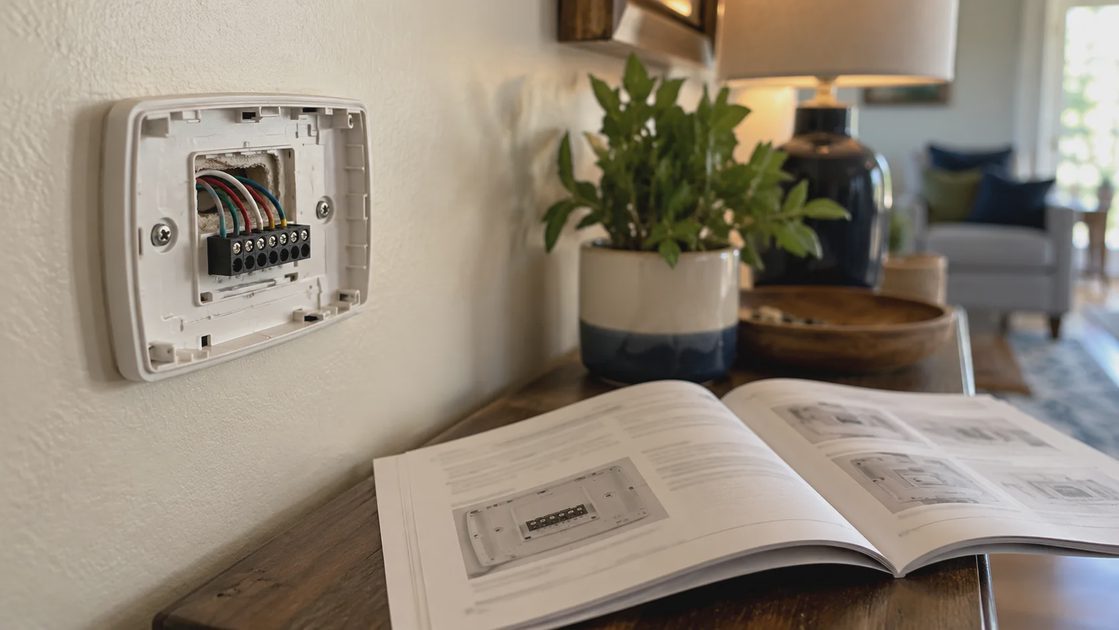
Follow the manufacturer’s shutdown and isolation instructions before accessing connections. Some equipment has more than one power supply. A battery-powered thermostat may stay illuminated after HVAC power is off, and an unlit screen is not proof that all related circuits are safe. If you cannot establish safe isolation, have a qualified professional handle the work.
Once access is safe, make a record that survives the installation:
Photograph the entire existing base with the terminal labels readable.
Take a second close photograph if a conductor hides a label.
Record the original terminal for each connected conductor.
Identify unused conductors separately from connected ones.
Photograph existing jumpers, but treat them according to the replacement’s instructions.
Label conductors using their original terminals before disconnecting them.
The photograph should show which wire enters which terminal, not merely a bundle of colored insulation. If the base has two sets of labels, do not select the set that looks more familiar. Establish which applies to the existing system through the manufacturer’s instructions or professional support.
Google’s Nest compatibility documentation explicitly uses connected terminal labels rather than colors and treats jumper wires separately in its checker. These are Nest-specific checker instructions; another manufacturer’s process may differ. Source: Nest compatibility.
Detail to record | Useful evidence | What it cannot prove |
|---|---|---|
Original terminal | Readable photograph and conductor label | That the previous installation was correct |
Unused conductor | Photograph showing it was disconnected | That its equipment-side end is connected to C |
Existing jumper | Photograph of both linked terminals | That the new thermostat needs the same jumper |
Equipment identity | Accessible model label and documents | That every replacement supports its accessories |
This record is a reference for compatibility and recovery. It is not permission to reproduce an unexplained wiring arrangement on different hardware.
5. Mount and connect using the approved model instructions
Use the diagram supplied for the confirmed system and replacement. Do not use a generic color chart as the connection map. Keep the exact manual accessible while you work so that stripping length, terminal mechanism, and mounting requirements come from the correct model.
Work through the supported sequence:
Preserve the labeled conductors so they cannot disappear into the wall.
Remove the old base as instructed without damaging insulation or pulling wiring.
Position the new base using appropriate wall fixings and the supplied mounting guidance.
Connect conductors according to the approved diagram, including any model-specific jumper instructions.
Check that connections are secured as instructed and that no excess exposed conductor can contact another terminal.
Fit the display without pinching wires, then restore power only at the documented stage.
Stop if you find damaged insulation, unexplained extra connections, insufficient wire length, or a mounting problem that requires improvisation. Moving wires until the screen turns on is not a valid installation method.
Power-adapter work inside HVAC equipment is a separate task from attaching the wall control. Have a qualified professional perform equipment-side work when you cannot safely complete the manufacturer’s procedure. Do not substitute a household neutral or protective ground for the thermostat’s common connection.
6. Configure the equipment, not just the schedule
After mounting and wiring according to the product-specific instructions, the thermostat may ask what type of system it controls. These questions matter as much as the physical connections. Heat pump versus conventional equipment, supported stages, auxiliary heat, and reversing-valve settings are not aesthetic preferences. An incorrect selection can produce symptoms that look like a wiring or mechanical fault.
Answer configuration questions using verified equipment information. Do not pick the option that produces a comfortable blast of air during one brief experiment. Some systems have delays and different operating modes, and apparent success in cooling does not establish correct heating behavior. If the installer previously configured specialized settings, obtain those details before replacing the control.
Start with a simple, appropriate operating schedule while checking installation. Delay occupancy automation, remote-sensor averaging, utility demand-response enrollment, and elaborate away rules. Introducing all of these immediately can make a configuration problem harder to distinguish from intentional schedule behavior. First establish that the thermostat can perform the system's ordinary supported functions.
Keep temperature limits and comfort requirements appropriate to the occupants and building. There is no single starting temperature that is right for every home. The goal of the installation check is predictable control, not proving an energy-savings claim. Optimization comes after the system's equipment configuration and basic operation are understood.
7. Commission the equipment before the schedule
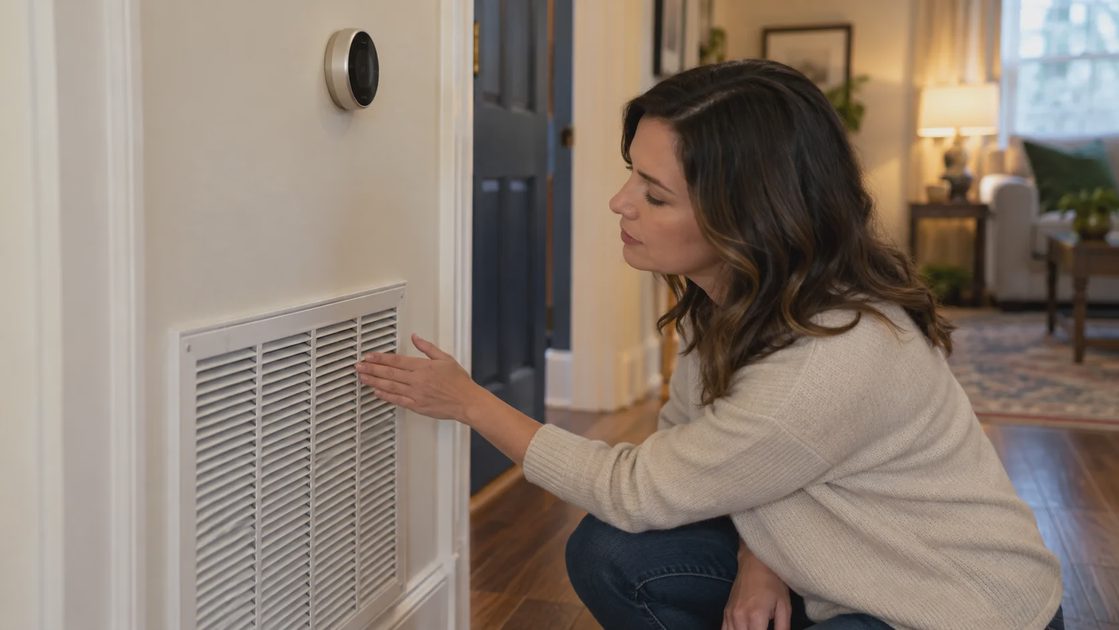
Use a simple record for the supported tests. Leave any feature that does not apply to your equipment marked “not applicable.”
Test | Record | Pause and seek help when... |
|---|---|---|
Supported heating mode | Requested mode, response, and any message | Response does not match the verified system configuration |
Supported cooling mode | Documented delay and eventual response | Equipment does not respond or behaves abnormally |
Supported fan control | Command and observed behavior | Fan behavior differs from the equipment’s documented setup |
Wall control | Temperature adjustment and hold behavior | Basic operation is unavailable or confusing |
App access | Correct home, device, and account | Remote operation fails despite normal wall control |
Use the manufacturer's supported test sequence. Equipment may impose a compressor-protection delay, so do not interpret a short wait as an immediate failure and repeatedly switch modes. Record what the thermostat reports, what the equipment does, and whether the result matches the selected mode. Follow documented waiting periods and stop if the behavior is abnormal.
A useful verification record includes the test mode, the observed start, the delivered heating or cooling, and any error message. If the thermostat calls for heat but the system produces cold air, stop experimenting and review the verified configuration with a professional. The cause could be system settings, wiring, or equipment; repeated guessing does not isolate it safely.
After basic tests, watch an ordinary operating period. Look for unexpected restarts, persistent power warnings, unusually frequent cycling, or comfort that differs substantially from the original system. These observations do not establish a diagnosis on their own, but they provide useful evidence for support. Photograph the error message and keep the thermostat and HVAC model information together.
Also test normal household control. Can another person adjust the temperature at the wall? What happens when a temporary hold ends? Does the app show the intended room and device? These checks are separate from electrical verification, but they prevent a technically successful installation from becoming a confusing daily interface.
8. Match the symptom to the right kind of help
Symptom | First distinction | Appropriate next step |
|---|---|---|
Blank display or persistent power warning | Power and installation, not scheduling | Follow the exact help-code procedure; obtain installation support |
Cooling requested but heating observed | Equipment configuration or installation | Stop experimenting and have the configuration checked |
Frequent starts and stops | Potential equipment, power, or control issue | Record the behavior and arrange qualified diagnosis |
Wall control works, app does not | Remote access versus HVAC operation | Check account and network guidance before changing wiring |
Temperature changes at unexpected times | Schedule, holds, or enabled automations | Review software settings after confirming ordinary operation |
Burning smell, unusual heat, damaged wiring | Possible physical or electrical fault | Stop use and obtain urgent qualified help |
An unresponsive thermostat after installation is not a reason to bridge terminals or substitute random wires. Follow the documented error guidance, confirm only the safe checks the manual authorizes, and contact the appropriate installer or manufacturer. A control-system fuse, power supply, wiring connection, or equipment setting may require professional diagnosis.
Persistent short cycling, incorrect mode operation, a burning smell, unusual heat, or damaged wiring calls for stopping use and obtaining qualified help. Do not use app resets to disguise a physical or electrical problem. A factory reset can erase configuration while leaving the original cause intact. Retain evidence of the problem before changing settings when it is safe to do so.
For a connection-only issue, distinguish HVAC operation from remote access. If the thermostat still controls temperature correctly at the wall but the phone cannot reach it, the next investigation is network or account access. If temperature control itself is failing, start with the equipment and installation pathway. This distinction prevents a Wi-Fi problem from sending you back into wiring that was operating correctly.
When contacting support, provide the exact models, terminal-label photographs taken safely, the compatibility result, configuration choices, and observed symptoms. Explain when the issue began and whether ordinary control ever worked after installation. Clear evidence helps the professional resolve uncertainty faster than a statement that the thermostat “doesn't like the wires.”
9. Keep the installation record with the equipment
Store the installation manual, equipment model information, and a record of the verified configuration in a household maintenance folder. Keep sensitive account credentials in an appropriate password manager, not in a photograph of the wall control. Note who installed the thermostat and who should be contacted if an equipment question arises.
If a professional made an adapter or wiring change, ask for a description suitable for future service. The next technician should not have to infer an undocumented modification. Update the record if the HVAC equipment is later replaced, because compatibility and configuration may change even when the thermostat remains on the wall.
A successful smart-thermostat installation ends with supported wiring, correct equipment settings, verified ordinary operation, and accessible manual control. Remote features and energy optimization are useful additions, but none compensates for uncertainty about the system the thermostat is controlling.